How Can I Have the Invoice
If you need the invoice you can download it from your CleanTalk Dashboard.
Please, log in to your CleanTalk Dashboard with your password.
First, please fill in the section "Billing info" with your company details in your CleanTalk profile :

Then click on your profile picture in the top right corner. You will see the Main Menu. Click "Licenses & Billing" (direct link is https://cleantalk.org/my/payments):

Find the section Payments/Invoice and click on the download icon in the "Invoice" column :
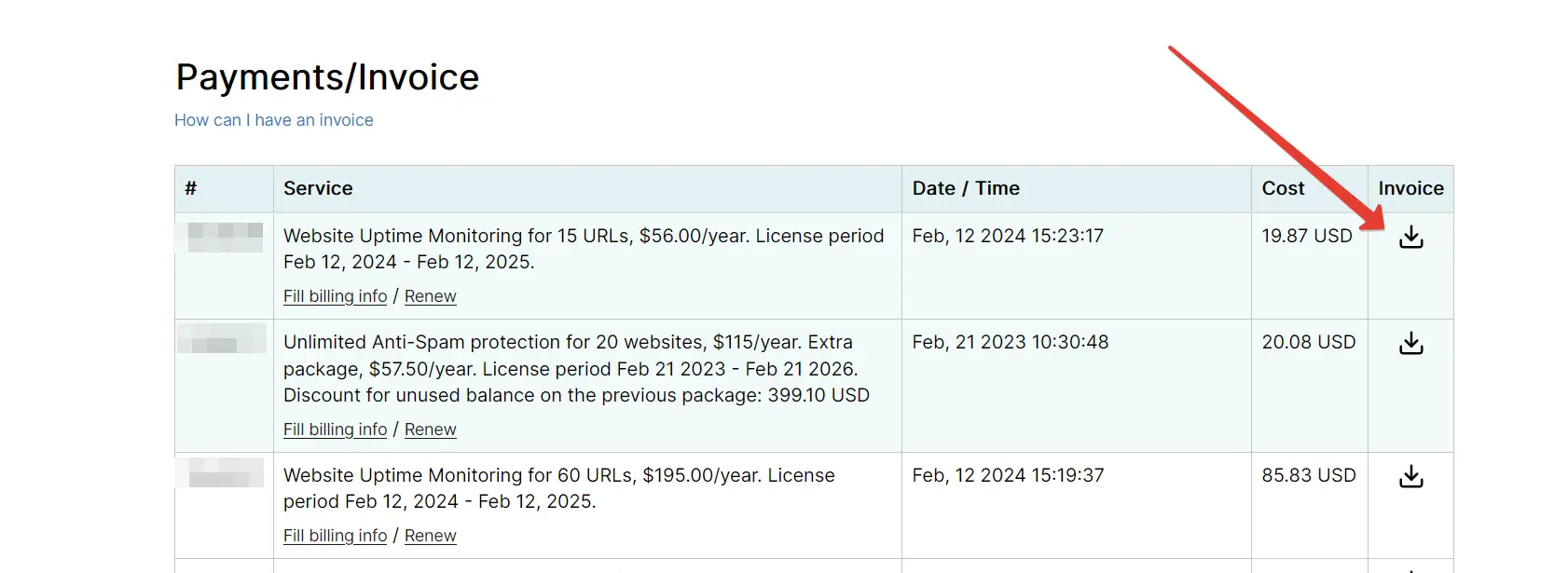
You will receive the invoice in PDF format.
¿No encontró lo que buscaba? Póngase en contacto con nuestro equipo de soporte técnico para obtener ayuda.
También podría interesarle
- CleanTalk Payment FAQFAQ — Payment Is it paid? Description of the payment process for a CleanTalk Anti-Spam...
- How to make bank transfer payment or payment by invoice?Payments by Bank Transfer (By Invoice) There are no Bank Transfer Payments or payments by invoice...
Copied to clipboard
