CleanTalk vs. Wordfence: A Better Wordfence Alternative?
TL;DR: Have you ever looked for a WordPress security service that offers essential features, is affordable, and comes with a top-rated support team? If so, I have a great option for you - Security Plugin by CleanTalk (SPBCT). In this post, I will review SPBCT as an alternative to Wordfence. I will compare features, pricing, the setup process, and user feedback, including insights from Reddit. But first, let us take a closer look at what Wordfence is in June 2026.
Wordfence is one of the most widely used security plugins for WordPress, offering a firewall, malware scanner, and login protection features. However, when users search for a Wordfence alternative, they often look for a solution that is less resource-intensive and easier to manage. Unlike traditional plugins that run scans on the server, many alternatives rely on cloud-based protection to reduce hosting resource usage and improve website performance. A good Wordfence alternative should still provide strong malware detection, real-time threat intelligence, and protection against brute-force attacks without slowing down the site. Some options also include automatic malware removal and simplified setup, which can be more convenient for non-technical users. Overall, choosing the right Wordfence alternative depends on whether you prioritize performance, automation, or advanced security controls.
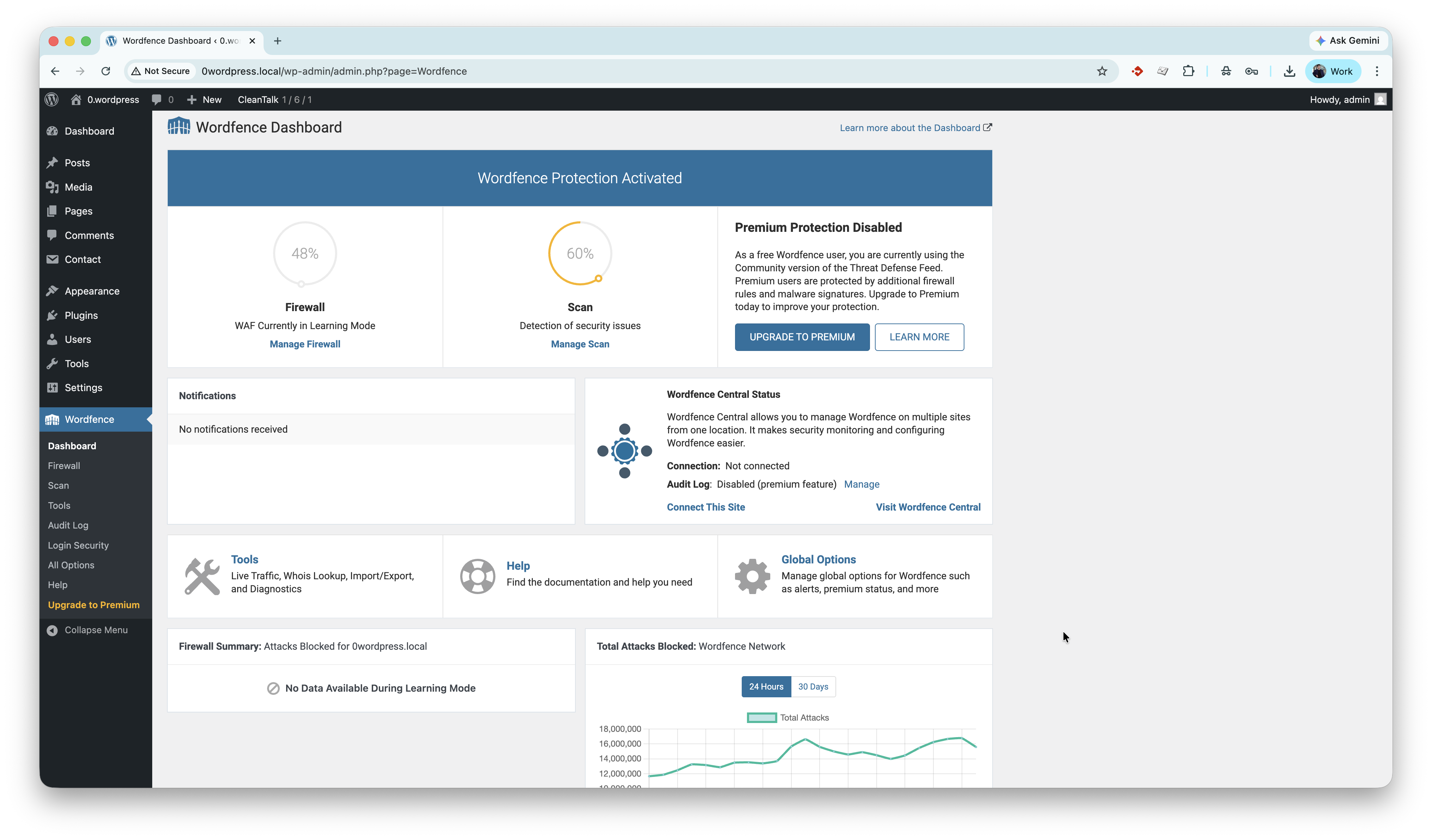
Features of the two security plugins
Both plugins offer the same core functionality, which is in high demand among website owners:
- IP and country Firewall,
- Malware scanning and removal,
- Notifications about known vulnerabilities in plugins and themes,
- Login security (2FA and brute-force protection),
- Audit log to monitor activity within the WordPress dashboard.
Security by CleanTalk also provides additional features including:
- Recommendations for secure plugins and themes (PSC)
Our security team audits new releases of the most popular WordPress plugins and themes on a regular basis and certifies safe versions as risk-free and enterprise-ready.
- Filesystem watcher
This feature runs filesystem snapshots over a selected period and allows you to track which of your site files have been changed between selected dates. Snapshots are stored for 7 days.
- Top-rated support team
The support team behind CleanTalk is often praised for being responsive, helpful, and willing to work with users until issues are fully resolved, with many reviews noting quick replies and hands-on assistance.
When using Security by CleanTalk, your website is regularly analyzed by certified cybersecurity specialists. Based on detected incidents, infection patterns, and discovered malicious files, malware signatures are created and continuously expanded. This makes it possible to identify threats promptly, perform accurate analysis, and strengthen the protection of your websites.
During 2023 and 2024, there were cases where malicious code infections led to complete service disruption, website compromise, and in some situations even affected hosting service stability. Using CleanTalk Security helps raise your website’s protection to the highest possible level through a broad signature base and practical experience gained from protecting a large number of WordPress and PHP-based websites.
Even in the event of an infection, Security by CleanTalk helps keep the website operational, reduces the risk of critical failures, and speeds up threat source identification. Thanks to a continuously expanding signature database and ongoing analysis of new attacks, protection remains current and adapts to modern infection scenarios.
Pricing
When it comes to pricing, this is where the most significant difference appears. Wordfence follows a freemium model, where not all features are included in the free plan, and many are limited to manual execution or delayed updates from the Wordfence cloud. SPBCT uses a free trial model, where all features are available during the trial period and for premium users. Below is a full list of security features and their availability for free and premium users in both services.
| Feature / Function | Wordfence Free | Security by CleanTalk |
|---|---|---|
| Pricing | Free. Premium starts at $149/year | Free trial 7 days. Starts at $9/year per site; unlimited sites from $27/month |
| Web Application Firewall | Included, with delayed rules in Free plan | Included |
| Malware Scanner | Included, with delayed signatures in Free plan | Included. Suspicious files are also analyzed in the cloud by security experts. |
| Malware Removal | Manual / paid service | Automatic malware cleanup included in plugin features; expert cleanup available separately |
| Brute Force Protection | Included | Included |
| Two-Factor Authentication | Included | Included |
| Country Blocking | Not included in Free plan | Included |
| IP Blocking | Basic manual blocking | Included |
| Vulnerability Alerts | Included | Included |
| Audit Log | Limited / advanced logging in paid plans | Included, with extended logs in CleanTalk Dashboard |
| Live Traffic Monitoring | Included | Included (Security firewall logs) |
| Support | Free forum support; premium support in paid plans | Support included with service |
| Cron File Monitoring | Not included | Scans cron files for suspicious or malicious calls to help prevent hidden malware execution |
| Human Security Monitoring | Not included | Security analysts monitor detected threats and help investigate suspicious activity |
The difference in pricing is also substantial. SPBCT plans start at $9/year/site, while Wordfence Premium starts at $149/year/site - more than 10 times higher.
Setup Process Overview
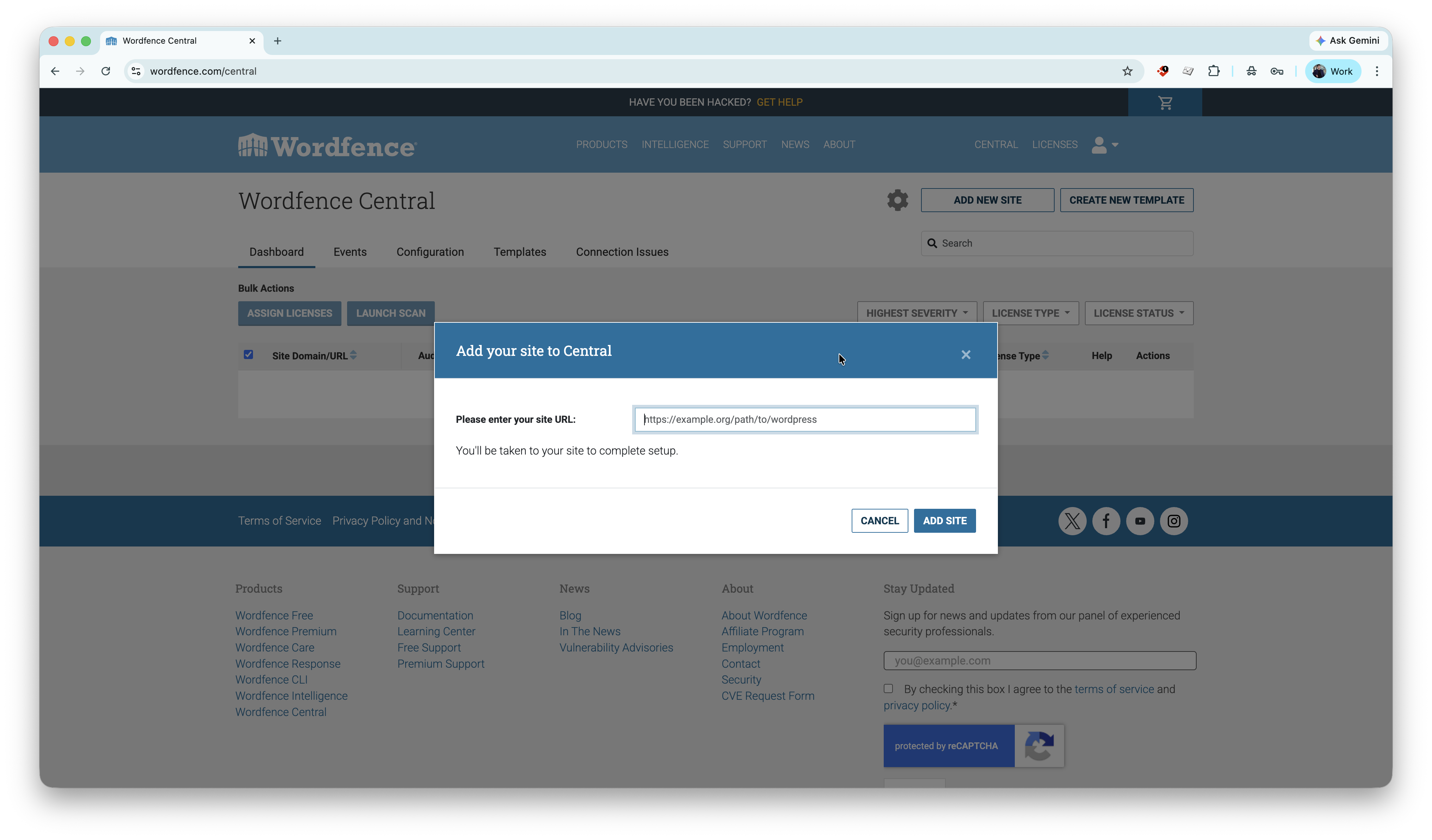
The biggest difference is that SPBCT can be set up locally, without requiring public access to your local or staging site. Wordfence Central, on the other hand, requires your site to be accessible from the internet when adding it to the dashboard. Otherwise, the setup cannot be completed.
In all other aspects, the process is similar. Here is a guide to installing Security by CleanTalk.
Redditors
Let’s take a look at what Reddit users think about alternatives to Wordfence.
- https://www.reddit.com/r/Wordpress/comments/1h5xdrh/what_can_i_replace_wordfence_with_on_around_30/
Users recommend using the WAF and antivirus tools included with their hosting. Cloudflare is another option. - https://www.reddit.com/r/Wordpress/comments/18l4ai0/any_alternatives_to_wordfence/
Fail2Ban, NinjaFirewall, and BulletProof Security were recommended. - https://www.reddit.com/r/Wordpress/comments/1qx4eg5/wordfence_fail_looking_for_alternative/
Here people recommend WP Engine, Security by CleanTalk.
Frequently Asked Questions (FAQ)
1. What is the difference between Security by CleanTalk and Wordfence?
Security by CleanTalk and Wordfence both help protect WordPress websites from malware, brute-force attacks, and other security threats, but they take different approaches. CleanTalk combines a cloud firewall, malware scanner, login protection, vulnerability checks, and automatic malware cleanup in a lightweight, easy-to-use plugin. Wordfence offers an endpoint firewall, malware scanning, and advanced security tools with extensive configuration options. CleanTalk includes background malware scanning and monitoring with all paid licenses, while Wordfence reserves some automated scanning and real-time security features for its Premium tier. CleanTalk also offers a lower annual price for a single website, making it an affordable choice for website owners who want comprehensive security with minimal setup, whereas Wordfence is better suited for users who prefer more advanced configuration and enterprise-level controls.
2. Is Security by CleanTalk a good alternative to Wordfence for WordPress?
Yes. Security by CleanTalk is a practical alternative for WordPress website owners looking for affordable, lightweight website protection without sacrificing essential security features. It includes malware scanning, automatic malware cleanup, firewall protection, login security, two-factor authentication (2FA), vulnerability detection, and real-time security logs. It is particularly suitable for small businesses, blogs, WooCommerce stores, and agencies managing multiple websites.
3. Which is better for WordPress security: CleanTalk Security or Wordfence?
The better choice depends on your needs. Wordfence is well suited for users who want advanced security controls and extensive configuration options. Security by CleanTalk is better for users who prefer simple deployment, automatic protection, and lower maintenance while still receiving protection against malware, hackers, brute-force attacks, and suspicious traffic. Both solutions significantly improve WordPress security when properly configured.
4. Does Security by CleanTalk provide the same features as Wordfence?
Security by CleanTalk covers many of the core security features WordPress website owners need, including:
- Malware scanning
- Automatic malware removal
- Web Application Firewall (WAF)
- Login protection
- Brute-force attack prevention
- Two-factor authentication (2FA)
- Vulnerability scanning
- Security logs
- Real-time traffic monitoring
- Some advanced enterprise-level features and highly customizable security options available in Wordfence may not be included, but CleanTalk focuses on providing the most commonly used security capabilities in a simpler and more affordable package.
5. Why choose Security by CleanTalk instead of Wordfence?
Security by CleanTalk is a good choice if you want straightforward WordPress security without spending time configuring dozens of settings. It offers automatic malware cleanup, firewall protection, vulnerability monitoring, login security, and real-time protection in a lightweight plugin that minimizes server load. For many website owners, it delivers the essential security features needed to protect WordPress websites at a lower annual cost than many premium security solutions.
Final thoughts
In this post, I reviewed Security by CleanTalk (SPBCT) as a Wordfence alternative. SPBCT appears to be a strong option, especially for WordPress users who are looking for a solution that delivers high performance at a lower cost and offers a more straightforward pricing model.
Ready to upgrade your WordPress security?
Start a safer, more reliable experience with Security by CleanTalk.