How to Enable Bot Detector
Bot Detector is a JavaScript library that runs directly in your visitors' browsers. It collects behavioral signals to distinguish human users from automated bots and sends the data to the CleanTalk cloud with each spam-check request. Enabling Bot Detector significantly increases spam detection accuracy across all forms on your website.
How to Enable Bot Detector in WordPress
By default, Bot Detector is automatically enabled in the CleanTalk Anti-Spam plugin for WordPress. To check whether Bot Detector is currently active on your site:
- Log in to your WordPress Dashboard.
- Navigate to Settings —> Anti-Spam by CleanTalk —> Summary & Support.
- Check the status under Statistics.
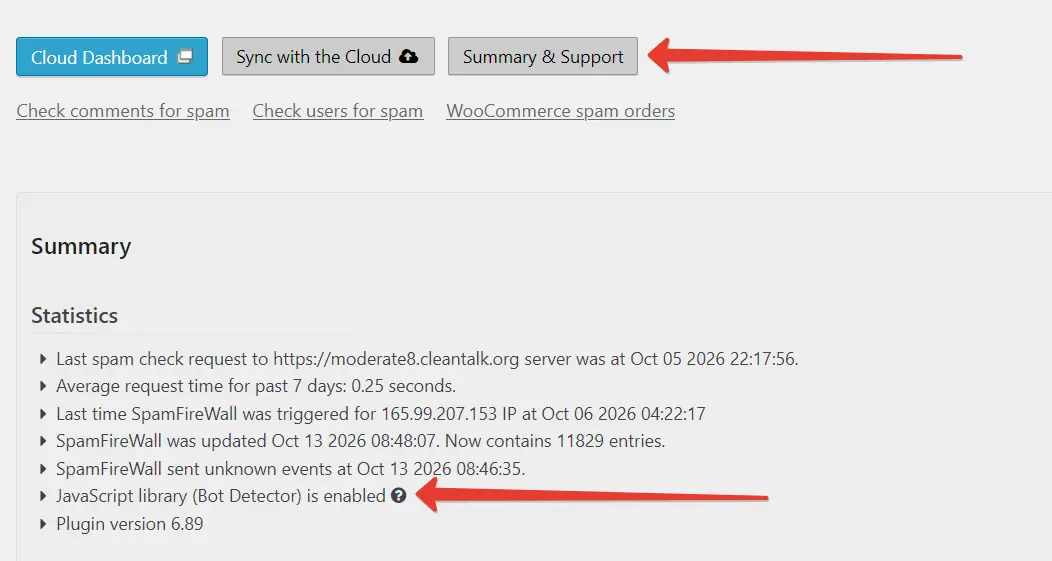
If Bot Detector is disabled, the easiest way to re-enable it is to reset the plugin to its default settings by reactivating the plugin using the Complete Deactivation option.
Before proceeding, we strongly recommend saving your current settings using CleanTalk's Templates feature so you can easily restore them later.
To reactivate the plugin:
- Go to Settings —> Anti-Spam by CleanTalk —> Advanced Settings. Scroll down, check the Complete Deactivation option, and click Save Changes.
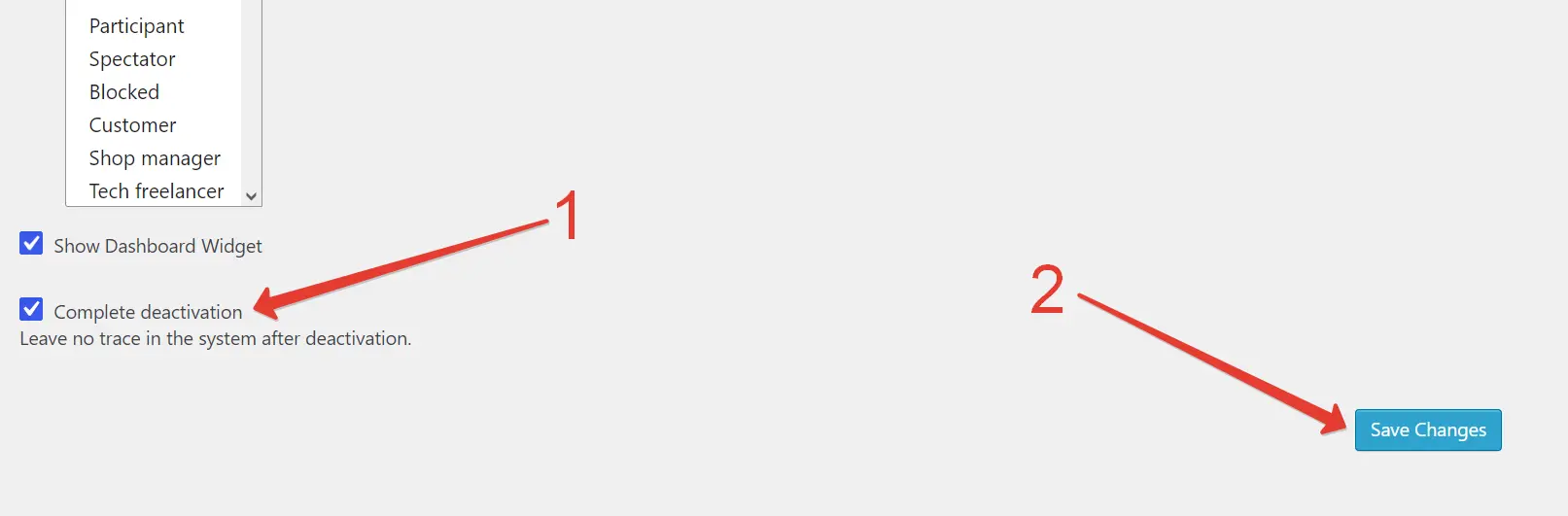
- Navigate to Plugins —> Installed Plugins. Locate Anti-Spam by CleanTalk, click Deactivate, and then click Activate.

- Enter your CleanTalk Access Key to reconnect the plugin to your service. You can follow our guide.
- Clear all website cache (including server-side cache and caching plugins) to ensure the updated JavaScript runs properly for all visitors.
- Go to Summary & Support to check the Bot Detector status.
Couldn't find what you were looking for? Contact our technical support team for assistance.
