Stop Spam in 2026. Anti-Spam plugins by CleanTalk for Websites
15+ plugins for top CMS platforms. Fast setup under 60 seconds. Trusted by 1M+ websites. And in 2026, we’re delivering at least 30 new updates.

Ready to use anti-spam for WordPress, Drupal, Joomla, Magento and more.


Website Owners & Agencies
Anti-Spam for Website Owners & Agencies
Spam Protection for Websites in 2026
CleanTalk Anti-Spam plugins are a ready-to-go solution for WordPress, Drupal, Joomla users and design agencies looking to outsource spam protection to a trusted cloud-based provider.
Advanced Firewall
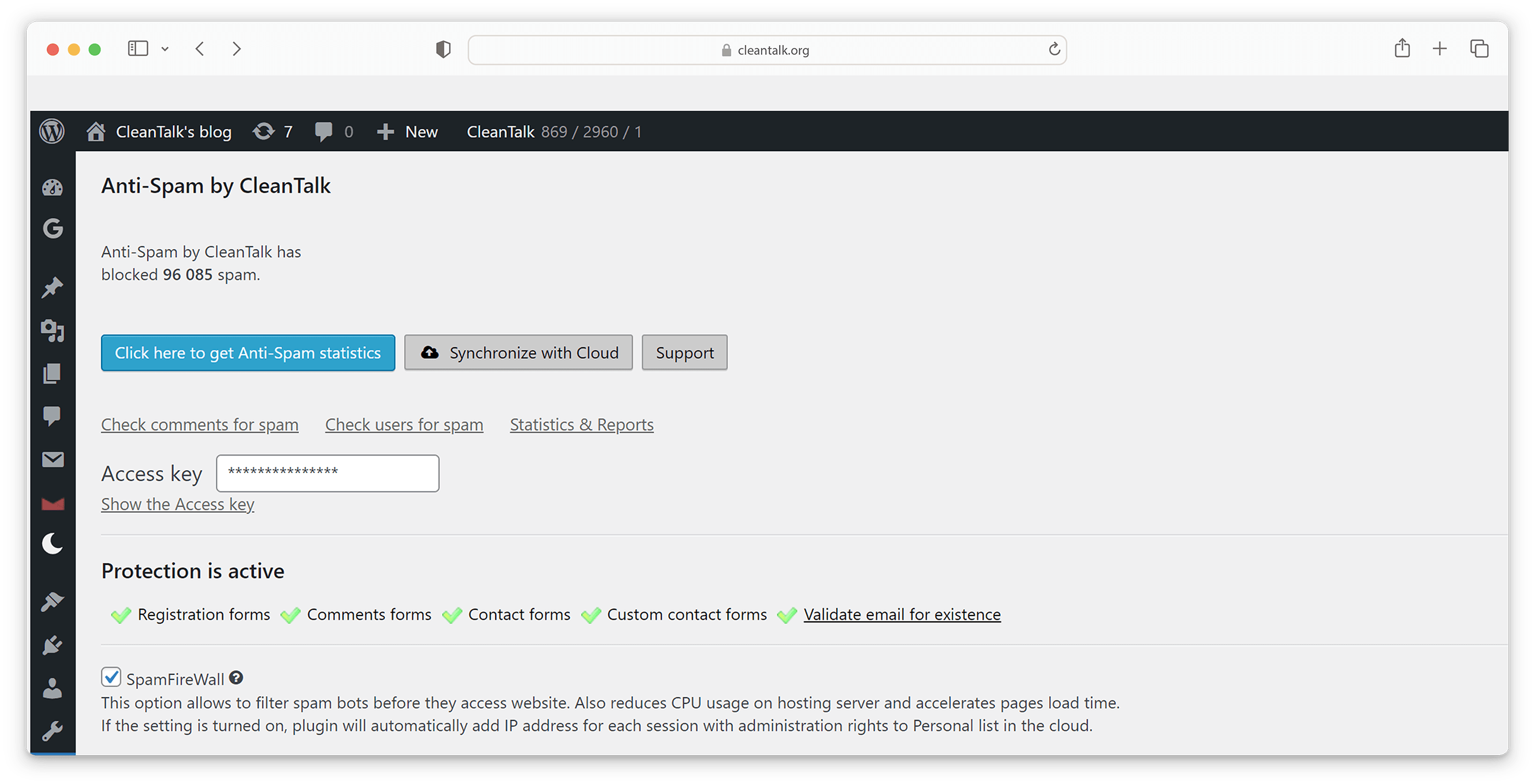
Each plugin includes FireWall based on country of origin, language, IP networks, email addresses, user agents, and many other parameters.
Timely Updates
Our plugins are regularly maintained. WordPress plugins receive 2–3 updates per month, while plugins for other CMS platforms are updated once every three months.
All-Day Support
Our 24/7 support team is always at your service.
Key Technical Features
Features of Anti-Spam CleanTalk Plugin for websites
Real-Time Spam Check
CleanTalk does not challenge website visitors to prove they are not bots. Instead, we perform background checks silently while visitors browse your site or submit forms. The plugin sends collected data to the cloud and receives a real-time response: SPAM or NOT_SPAM.
Performance Guaranteed
We prioritize both site (WordPress, Drupal and etc) and plugin performance. Every release undergoes automated testing to ensure the plugin does not affect your website’s loading speed. We follow performance standards set by tools like GTmetrix and Google PageSpeed Insights for every release.
Privacy Focused
We respect user privacy and offer options for anonymous spam protection. This includes excluding or encrypting personal data before transmission to the cloud. Additionally, users can choose to store their data in regional data centers located in the US, Europe, or globally.
Anti-Spam Log. Reveal senders details
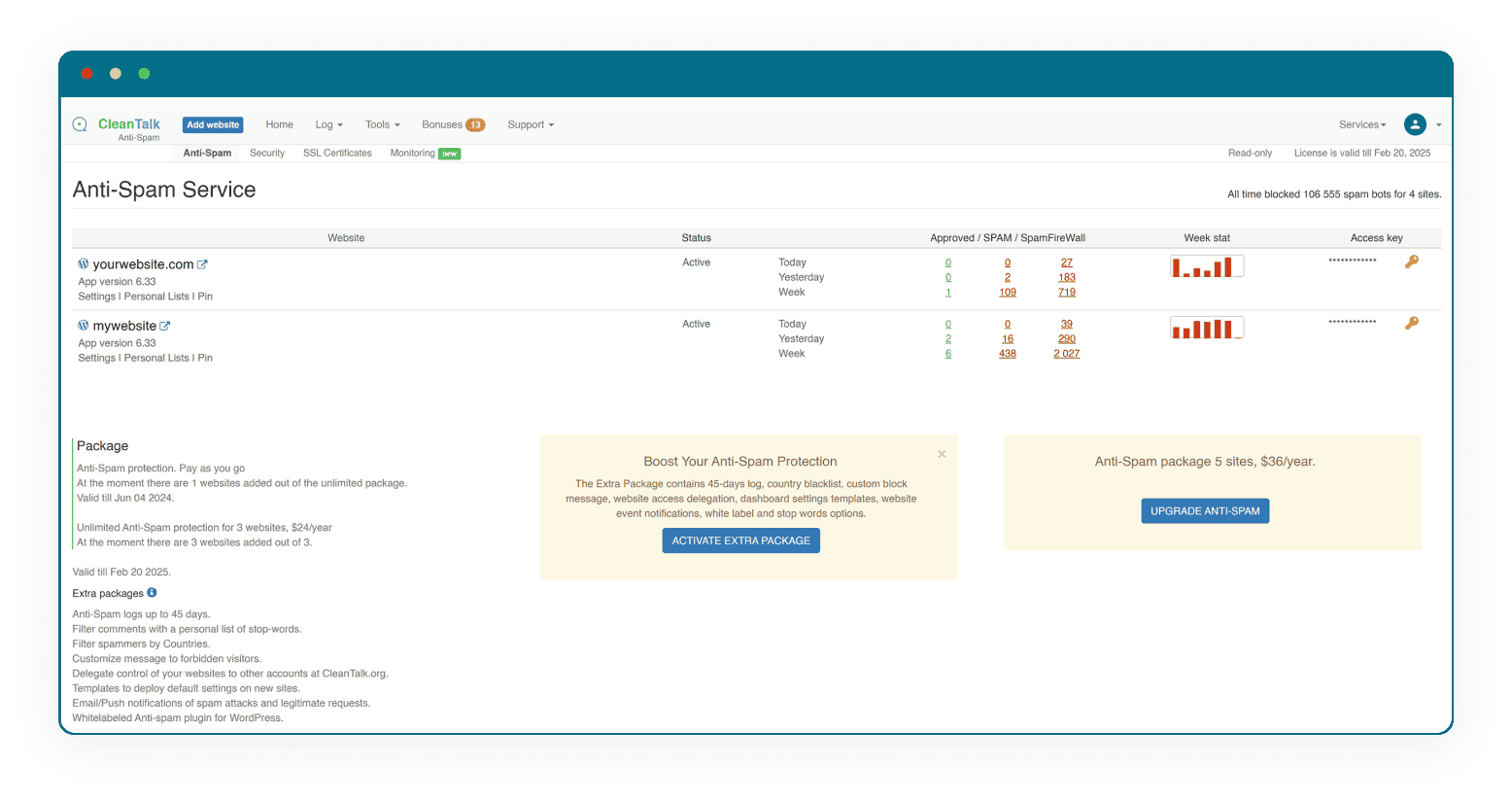
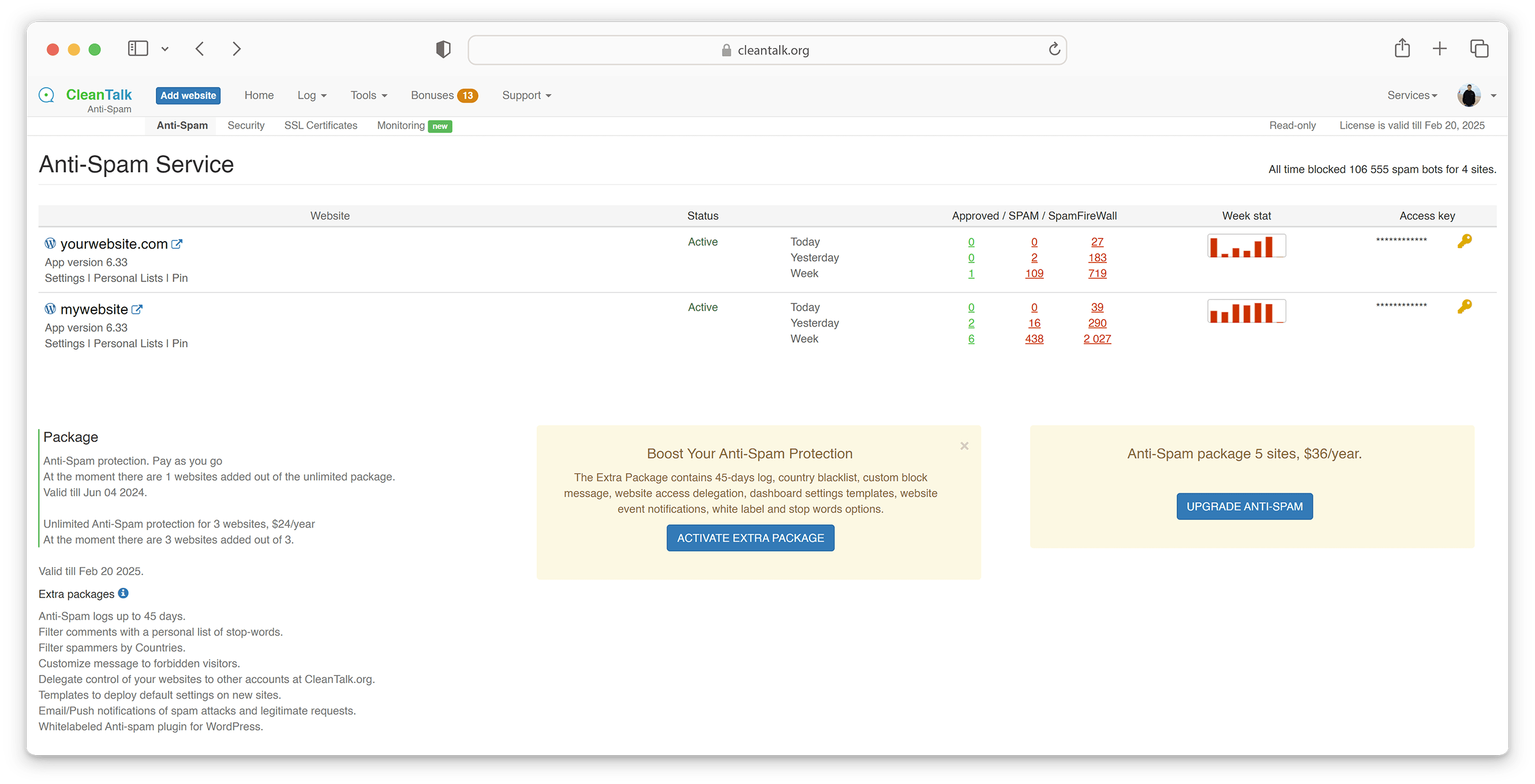
The Cloud Dashboard shows records of spam attacks and legitimate submissions that passed through any web form on your site for up to 45 days. Each record includes the date and time, IP address, email, nickname, sender geolocation, message, and page URL. It also provides tools to add senders to block or allow lists and to report false positives or false negatives to our experts.
Email Validation & Scam Detection
The Anti-Spam cloud validates the existence of the sender’s email address in real time. This helps reduce false negatives, as some spammers/scammers use random email addresses that do not exist. It also helps CleanTalk users maintain high-quality mailing lists, users, comments, and orders, reducing email bounce rates and improving communication with customers.
Email and Phone obfuscation. Personal Information Protection
The WordPress plugin includes a unique feature that obfuscates public contact data on your website, such as email addresses and phone numbers. Obfuscation hides contact information from spam bots and crawlers, helping prevent direct spam and the exposure of personal information.
Anti-Crawler — Content Protection from Scrapers and Data Theft
The WordPress plugin includes another powerful feature called Anti-Crawler. It controls access to your website for crawlers and scrapers, protecting your content from theft. This helps prevent scraping of blog posts, product descriptions and prices in online shops, as well as personal information on public pages. You can manage access for specific bots or scrapers in your Dashboard and monitor scraper activity in the SpamFireWall log.
Anti-Spam plugins for popular platforms
We provide plugins to block forum spam, board spam, blog spam, web site spam with their spreading spam, abusing forms on web sites and other annoyances. We have developed fast and simple plugins for the most popular CMS such as WordPress spam protection plugin, Joomla, Drupal and other plugins. If you get contact email spam, comment, registration or other spam messages, it's time to add spam protection to your website.
Reviews
See our reviews on  or
WordPress.org rating: 4.8/5 (3,163 reviews)
or
WordPress.org rating: 4.8/5 (3,163 reviews)

Nice plugin

Outstanding Spam Protection

Awesome service

Excellent plugin, excellent value

Purging spam users ftw!

Very good and awesome support

A Requirement for all sites

Simply excellent!

Sleep better with Clean Talk

Resistance Against the Rise of Spam Bots
I have a question…
Does CleanTalk use cookies?
CleanTalk may set a necessary cookie (apbct_, ct_) when it works in “Auto” mode for the purpose of providing its risk analysis. If you prefer to not set cookies, use mode Off in the plugin settings.
Where can I find the list of the cookies?
You can find a list of the cookies on this page.
How do CleanTalk’s blocklists work?
CleanTalk’s plugins utilize shared blocklist services that are created automatically based on our analysis of spam activity from IP addresses and email addresses.
For example, if a user registration is initially approved but later deleted by an administrator, we receive this information through a feedback loop. When three or more negative feedback events—such as account removals or message deletions—are received for a specific IP address or email address, it is automatically added to the blocklist.
Conversely, if a message is blocked by the automoderator but later manually approved, this positive feedback is recorded in our database and the corresponding entry is removed from the blocklist. Because many thousands of sites are connected to this service, spammers are typically added to the blocklist within 1–2 hours using this algorithm.
Does CleanTalk only work with WordPress?
CleanTalk works not only with WordPress. We develop more than 15 in-house plugins and extensions for the most popular CMS platforms, and there are also plugins created by the community.
What happens if CleanTalk blocks a legitimate visitor?
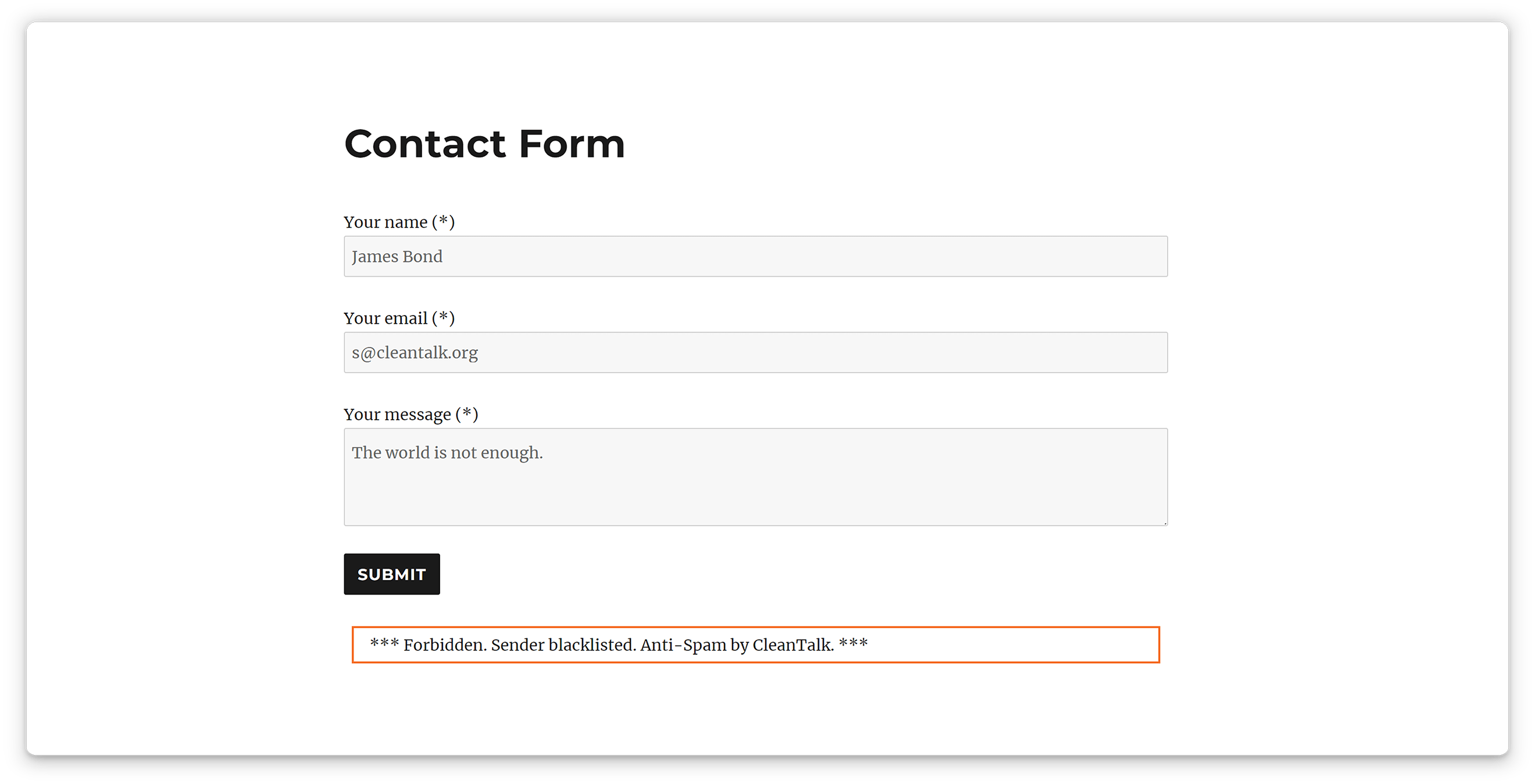
False positives (legitimate submissions marked as spam) can occur with any anti-spam system on the market. Unlike CAPTCHA-based anti-spam tools, where visitors must make multiple, similar attempts to prove they are human by solving various puzzles, CleanTalk explains each false positive event to the visitor with a clear, human-readable message. Below is a list of typical explanations.
- “Forbidden. Your IP belongs to a high spam risk network. Please, try again without VPN. Anti-Spam by CleanTalk.” - probably a visitor uses a public VPN service which is a shared network that is widely used by spammers and scammers. The solution is to turn VPN off or switch to private/corporate VPN service.
- “Forbidden. Please enable JavaScript. Anti-Spam by CleanTalk.” - something wrong with the browser or JavaScript code on the site. The solution is check JavaScript settings in the browser, turn off extensions that manage such settings.
- “Forbidden. You submitted too quickly. Anti-Spam by CleanTalk.” - it means a form has been filed too quickly. The solution is to wait for a minute and repeat the attempt.
Anyway, CleanTalk provides up to 99.9707% average accuracy (false-positive rate: 0.0482%, false-negative rate: 0.0536%; rates as of February 6, 2026). Which means the false rate is generally low.