How to Set Up the Anti-Spam by CleanTalk and LiteSpeed Cache (LSCache)
LiteSpeed cache may interfere with our plugin's gathering of visitor parameters necessary to make spam/non-spam decisions. This can lead to false blocking of form submissions from legitimate visitors. To avoid this, you should add our plugin's data gathering scripts to exclusions.
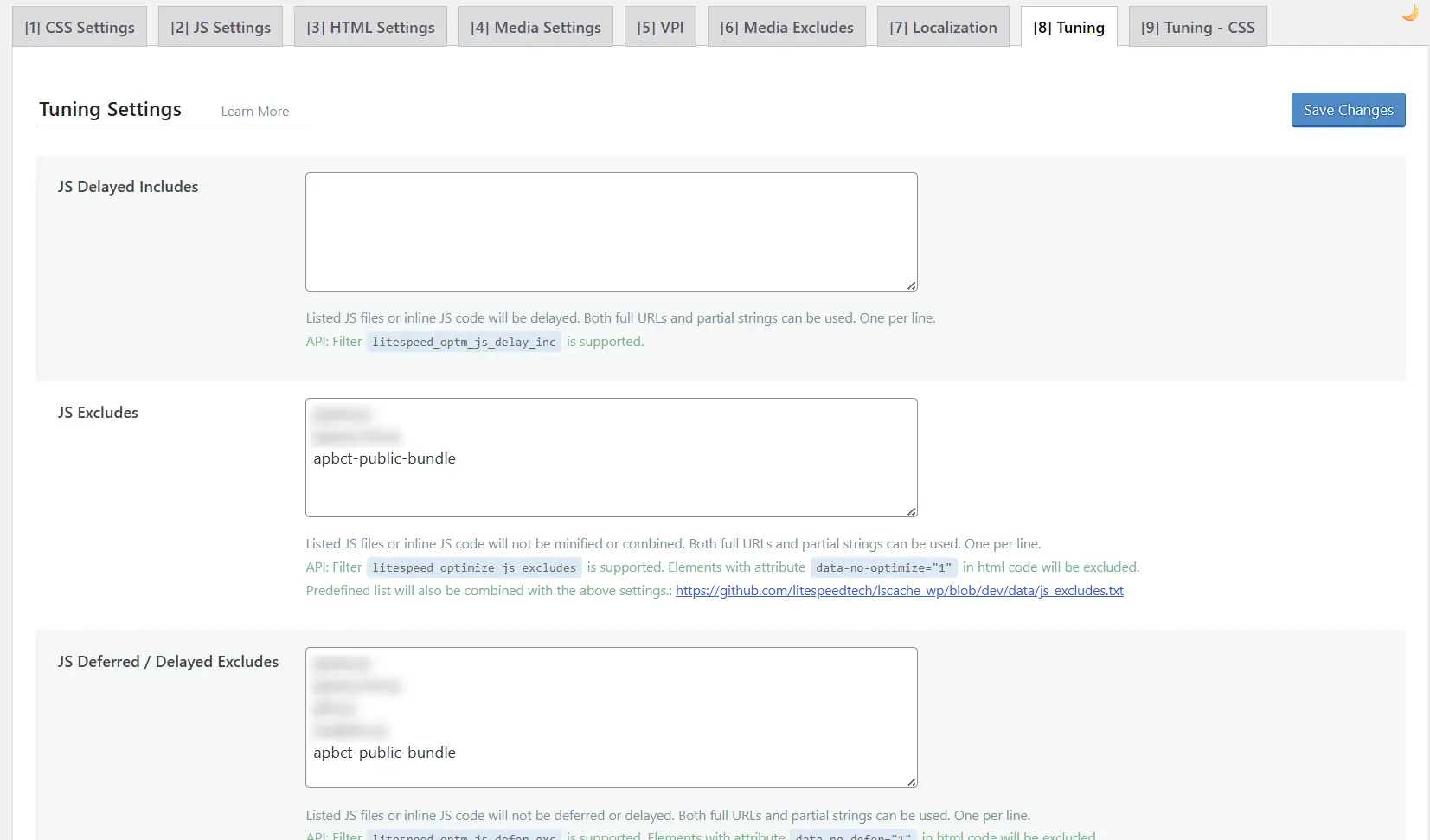
1. Go to this page: WordPress Admin Page → LiteSpeed Cache → Page Optimization → Tuning. Add apbct-public-bundle to the "JS Excludes" and "JS Deferred / Delayed Excludes" options. This is a partial string that matches all of our gathering scripts.
2. Purge all the cache.
Additional Recommendations for Cache Plugins
Please review our main guide detailing our standard recommendations for ensuring the Anti-Spam plugin works perfectly with caching solutions.
If you haven't found the answer to your question, please contact our support team:
https://cleantalk.org/my/support/open
It would also be interesting
- Configuring CleanTalk with Caching PluginsConfiguring CleanTalk with Caching Plugins Caching plugins (such as WP Rocket, LiteSpeed Cache,...
- Setting Up the Anti-Spam by CleanTalk and W3 Total Cache PluginsHow to Set Up the Anti-Spam by CleanTalk and W3 Total Cache Caching of website pages and using...
- How to fix a visible number field on a formHow to fix a visible number field on a form Have you noticed a visible number field on your WordPress...