phpBB 3.0 mod: CleanTalk Uninstall Manual
To uninstall the CleanTalk module from phpBB 3.0 please do the following:
Run the external installer by uninstalling and installing the module.
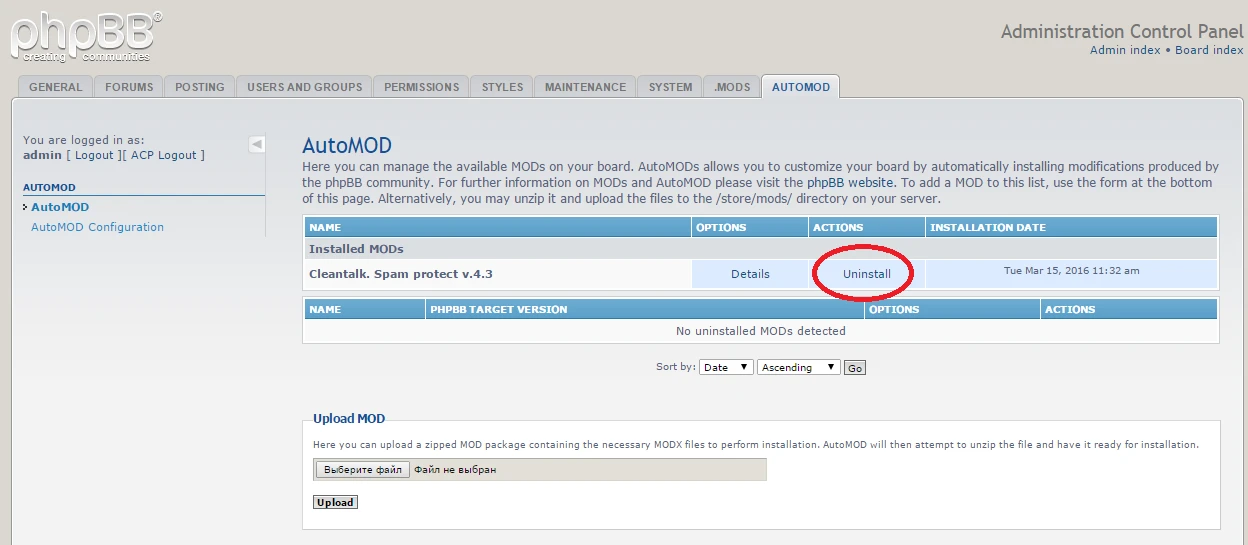
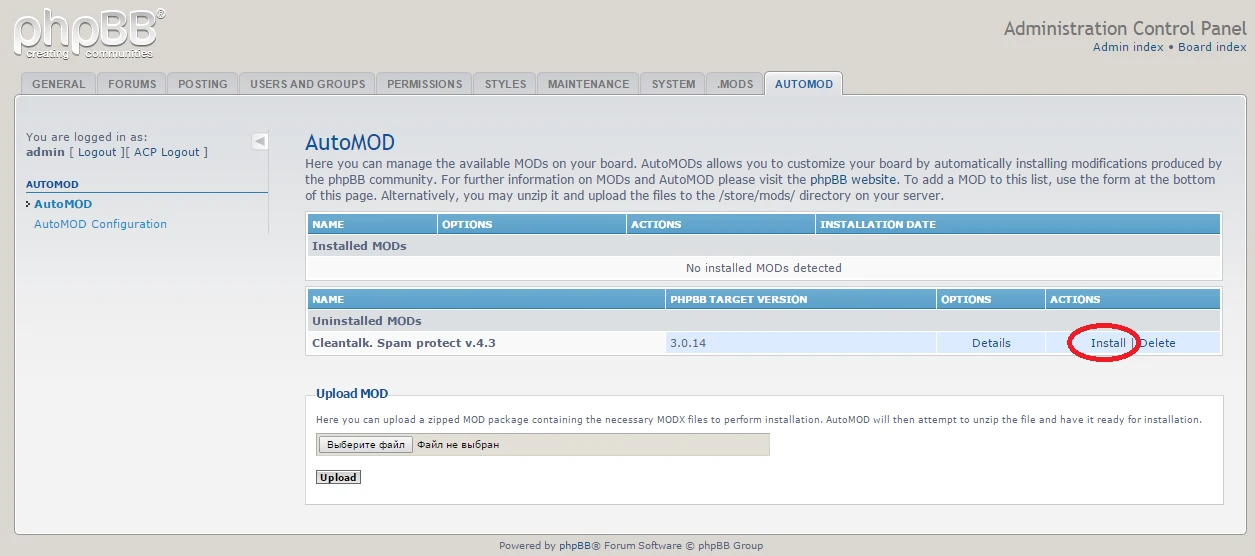
Select external installer to install.

Select uninstall in external installation.

Then uninstall it in Administration Control Panel.

CleanTalk is now deleted from your phpBB 3.0!
It would also be interesting
- How CleanTalk Anti-Spam Works. Manuals, Questions and Answers.CleanTalk Help Manuals, Questions and Answers Anti-Spam Service Premium Notice is still shown...
- Installing the CleanTalk Anti-Spam Mod on phpBB 3.0How to install the CleanTalk Anti-Spam Modification in phpBB 3.0 Important: The official support...
- Miscellaneous Instructions, Extra Package, Comparison CleanTalk vs ReCaptcha vs Akismet, GDPR ComplianceMiscellaneous Instructions, Articles, and Manuals About CleanTalk Here you could find different...
Copied to clipboard
