How to Update the CleanTalk Anti-Spam Plugin for Joomla 4.x – 6.x
1. Go to Joomla Administrator Panel → System → Manage → Extensions.
2. Find the "Anti-Spam by CleanTalk" plugin (you can use the search function and enter "cleantalk"), tick it, and press the "Uninstall" button. (Press Action → Uninstall if you are using Joomla 5.x or 6.x). Confirm the uninstall in the appeared warning.
3. Download the plugin archive (the link is at the beginning of this page, or use the link given to you personally).
4. Go to System → Install → Extensions.
5. Go to the tab "Upload Package File" and browse for the installation package.
6. After the installation, go to System → Manage → Plugins → Anti-Spam by CleanTalk.
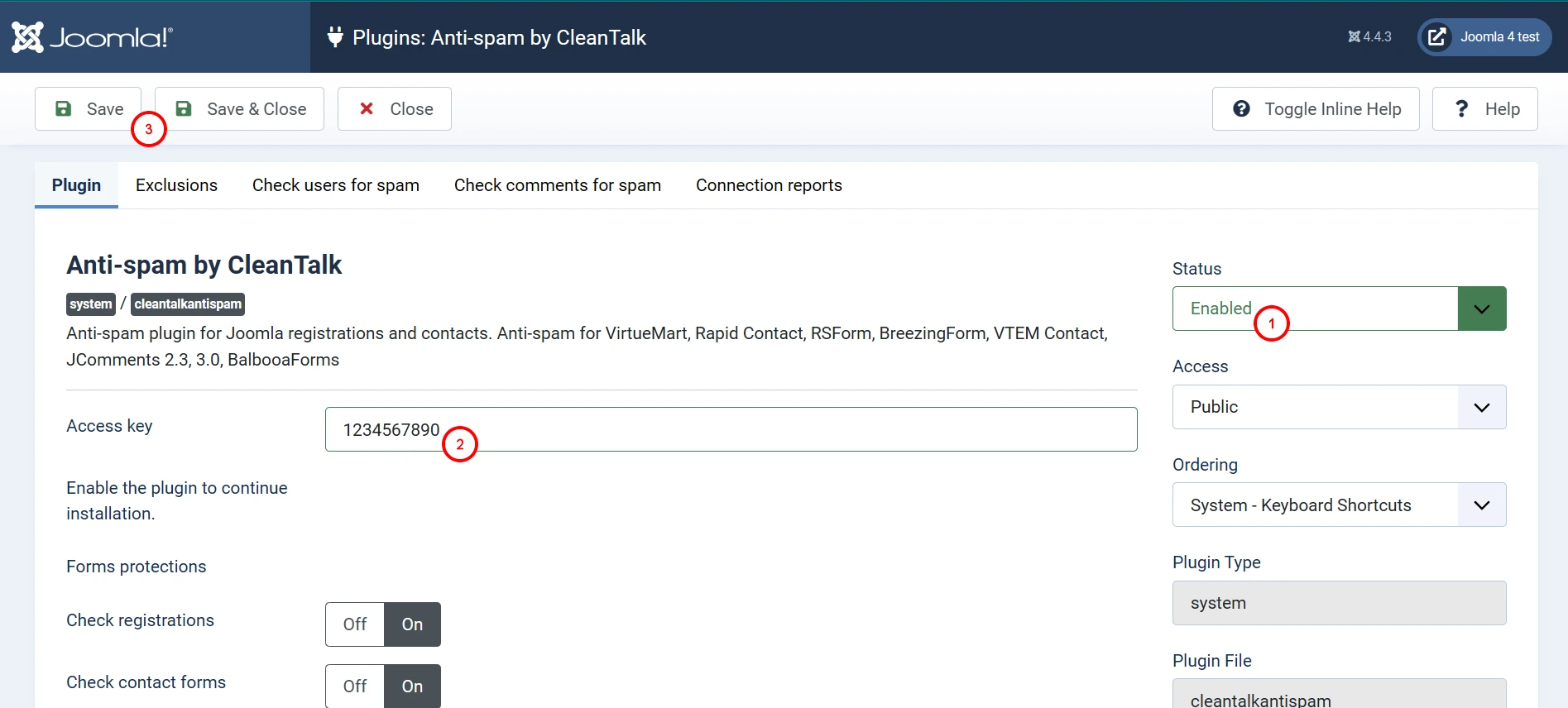
7. Set the plugin status to "Enabled" and enable the desired options in the settings. Make sure that the access key matches the key from your CleanTalk Dashboard. Then press the "Save" button.
8. (Optional) Test the protection by making a registration using this blocklisted email address: stop_email@example.com. This request must be blocked.
Version with pictures
1. Go to Joomla Administrator Panel → System → Manage → Extensions.
2. Find the "Anti-Spam by CleanTalk" plugin (you can use the search function and enter "cleantalk"), tick it and press the "Uninstall" button. Confirm the uninstall in the appeared warning.
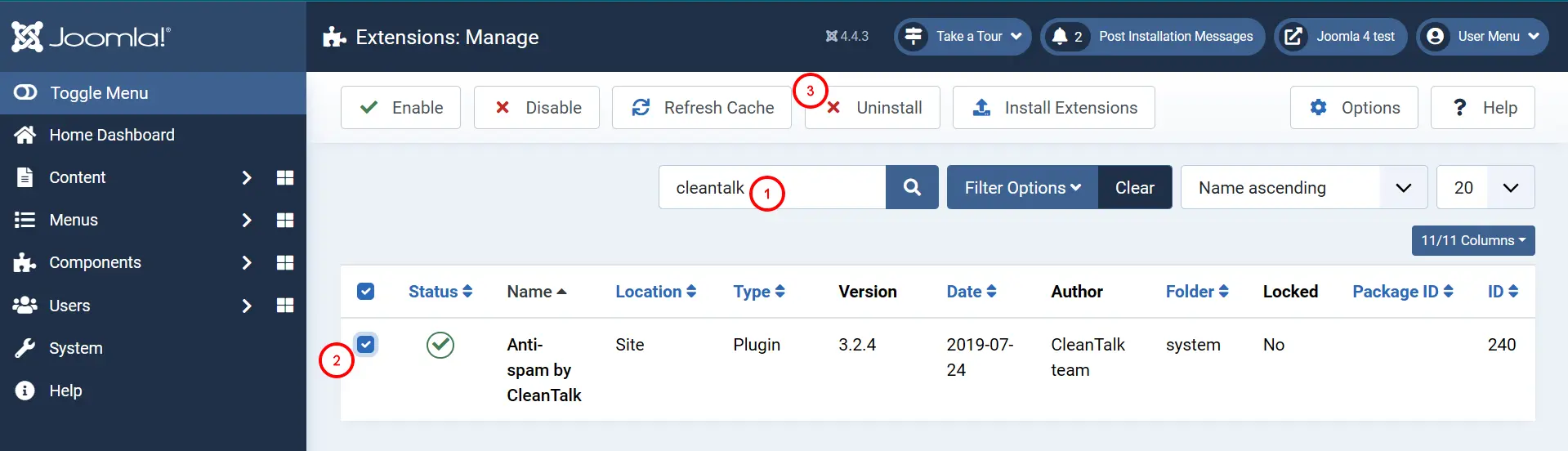
Note: Press Action → Uninstall if you are using Joomla 5.x or 6.x)
3. Download the plugin archive (the link is at the beginning of this page or use the link given to you personally).
4. Go to System → Install → Extensions.
5. Go to the tab "Upload Package File" and browse for the installation package.
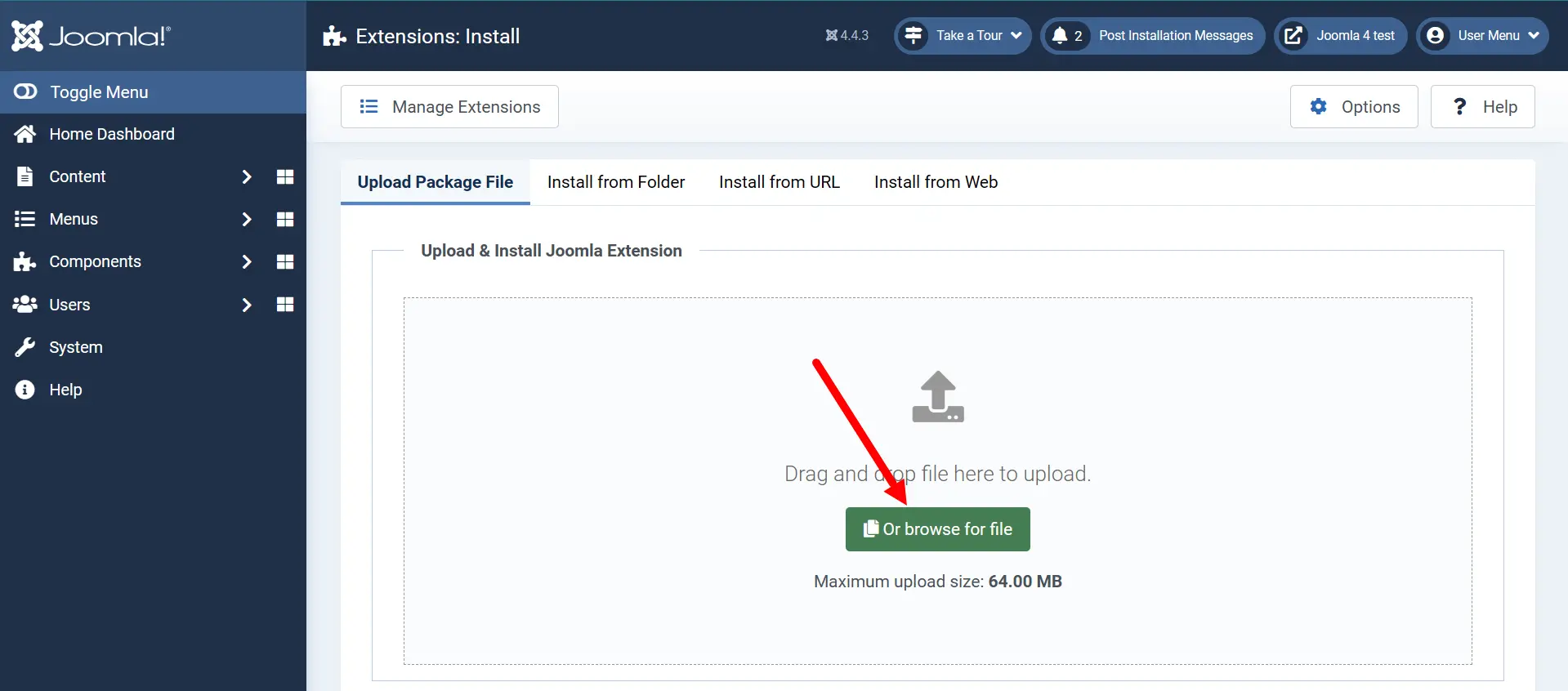
6. After the installation, go to System → Manage → Plugins → Anti-Spam by CleanTalk.
7. Set the plugin status to "Enabled" and enable the desired options in the settings. Make sure that the access key matches the key from your CleanTalk Dashboard. Then press the "Save" button.
8. (Optional) Test the protection by making a registration using this blocklisted email address: stop_email@example.com. This request must be blocked.
If you haven't found the answer to your question, please contact our support team:
https://cleantalk.org/my/support/open
It would also be interesting
- How to install the CleanTalk Anti-Spam on Joomla 3CleanTalk Anti-Spam Setup on Joomla 3 Anti-Spam Extension for Joomla 3 Features Click to open...
- All Installation Manuals of CleanTalk Anti-Spam ServiceCleanTalk Anti-Spam Installation Guides Here you can find our plugin installation guides for popular...
- How to install CleanTalk Anti-Spam on Joomla 2.5Due to the official Joomla 2.5 support ending, this module has been discontinued. If you're using Joomla...