Download plugin file antispambycleantalk.ocmod.zip.().Previous version antispambycleantalk.ocmod.zip.
- Fix. Code. Hooks names adapted to Opencart 4.2.
- New. Integration. Checkout protection implemented.
- Fix. SFW. Die page layout fixed.
How to Update the CleanTalk Anti-Spam Extension in OpenCart 4.x
- Make backup copies of your site's files and database.
- Download the extension archive.
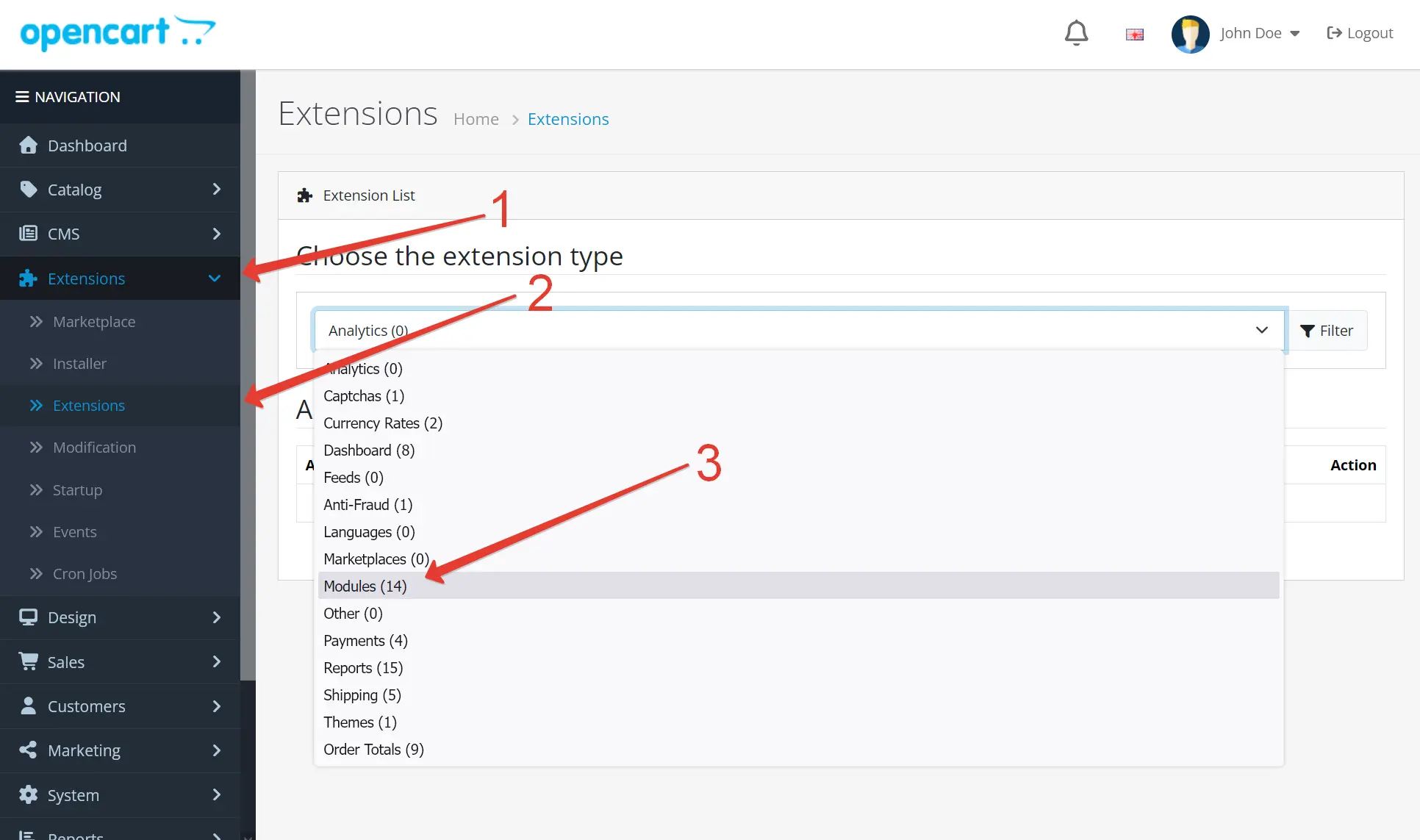
- Go to the tab Extensions → Extensions → Choose the extension type "Modules"
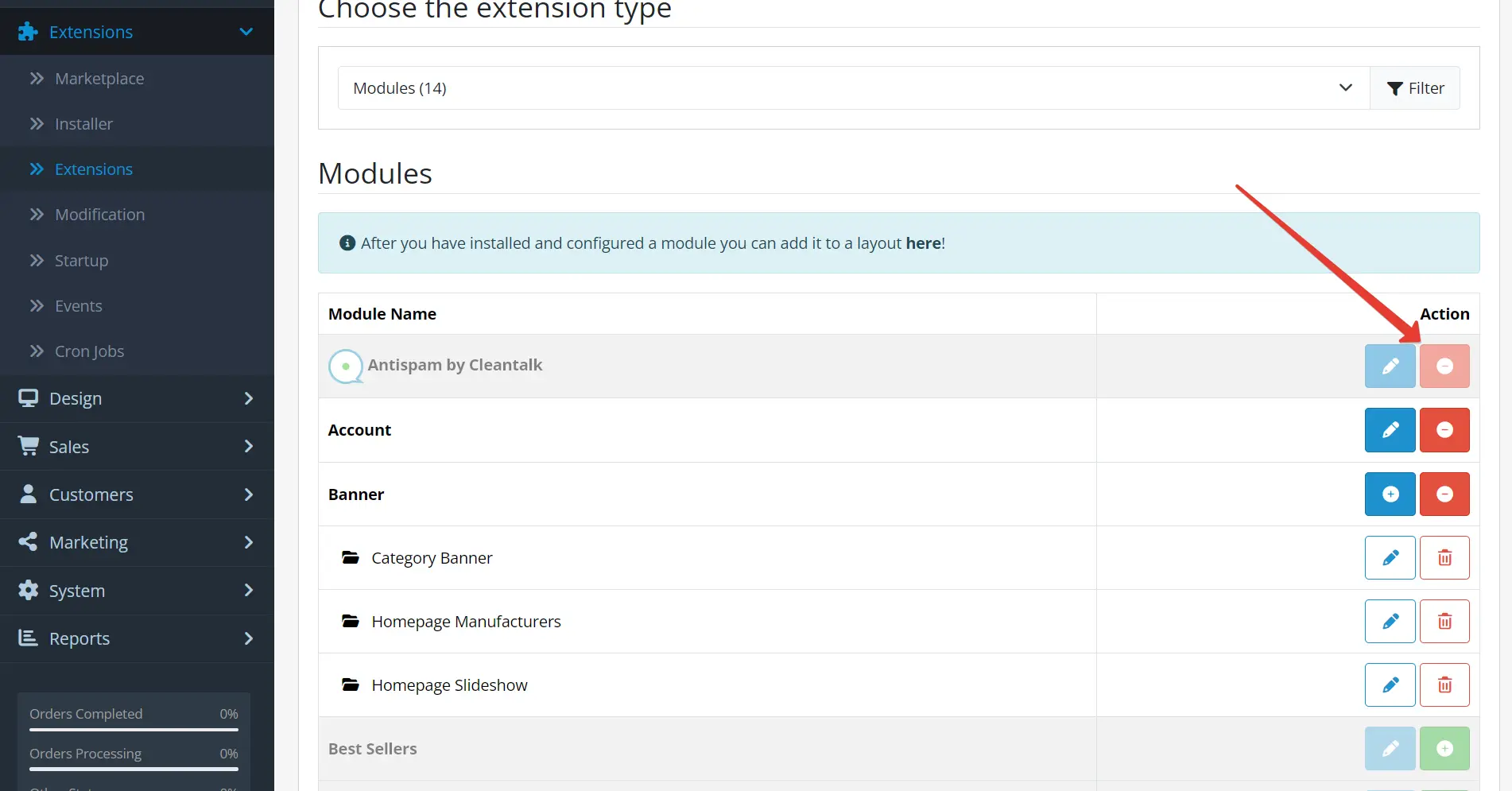
- Find the "Antispam by Cleantalk" module → Click "Uninstall"
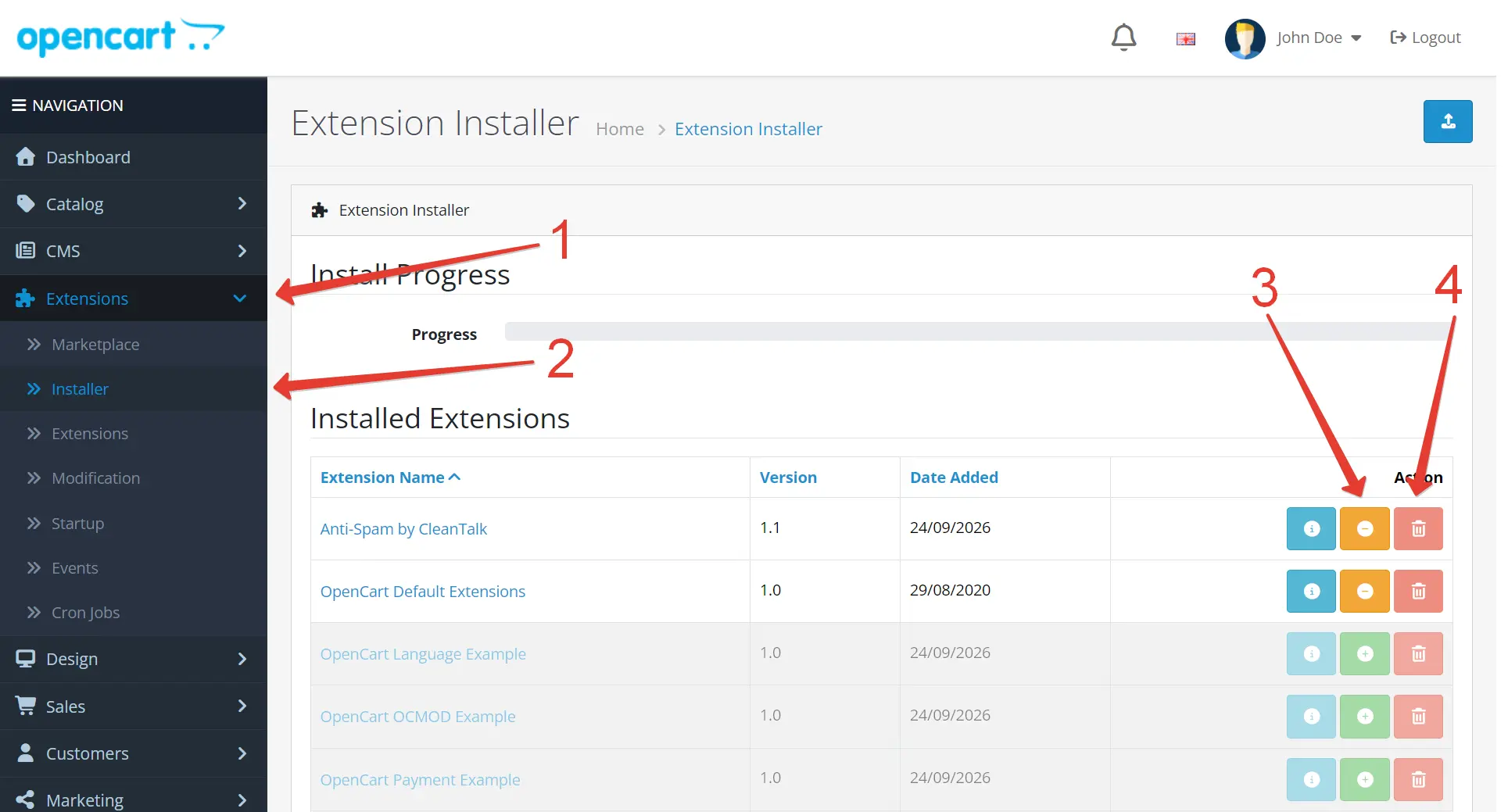
- Go to the OpenCart Administrator Dashboard → Extensions → Installer → Click "Uninstall", then "Delete".
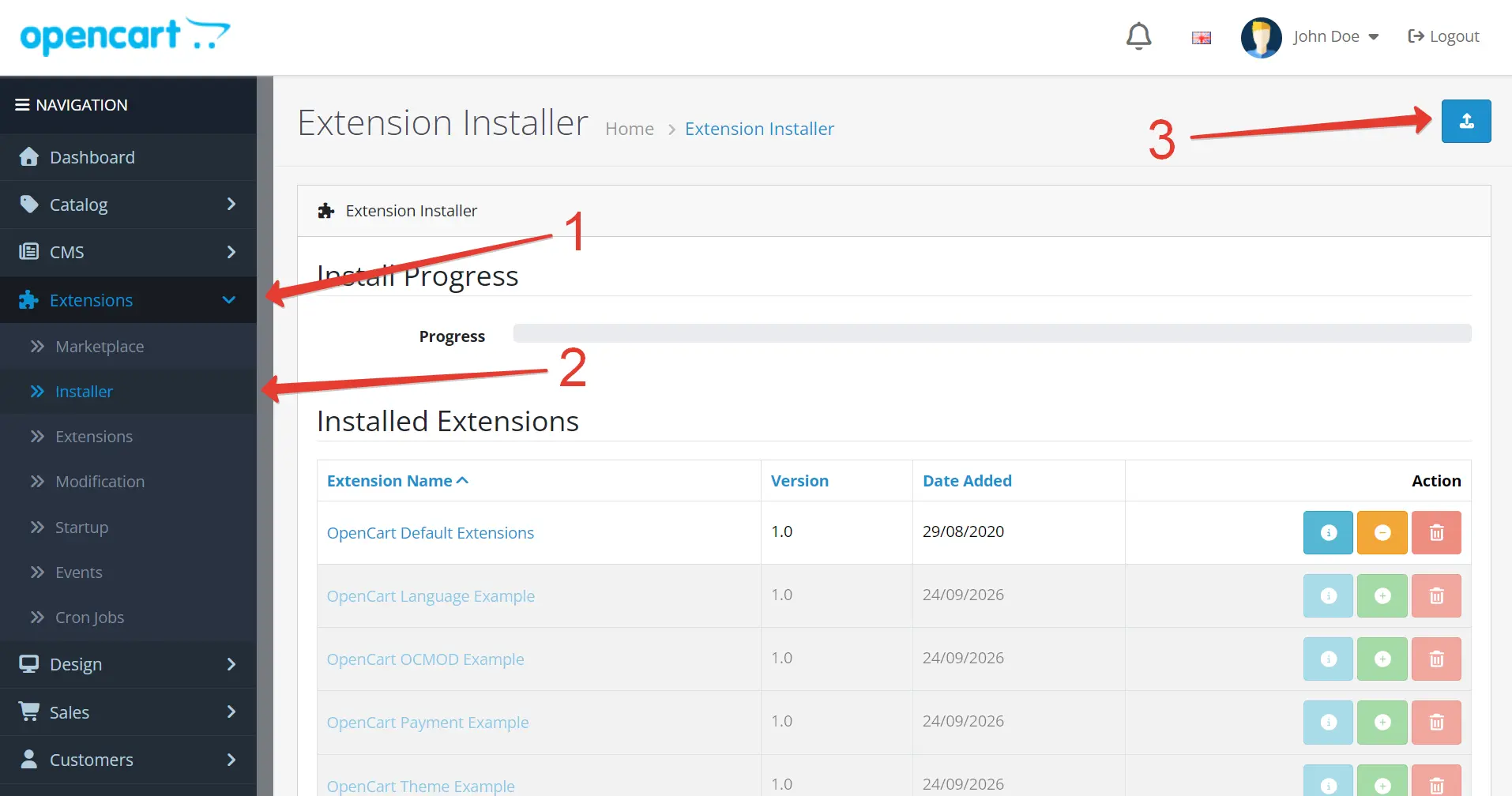
- Go to the OpenCart Administrator Dashboard → Extensions → Installer → Upload the archive with the module.
- Once the module is uploaded, click the "Install" button.
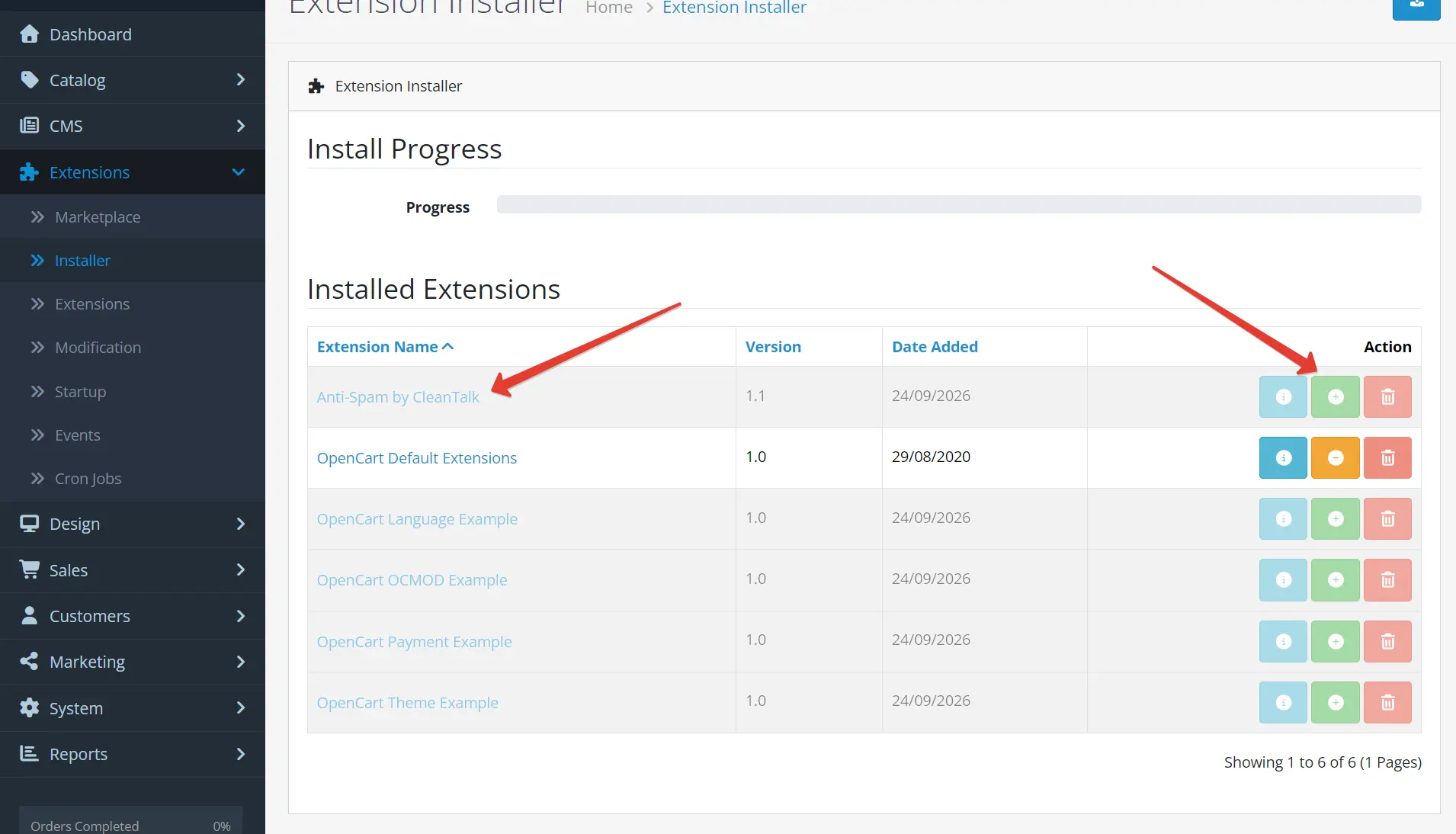
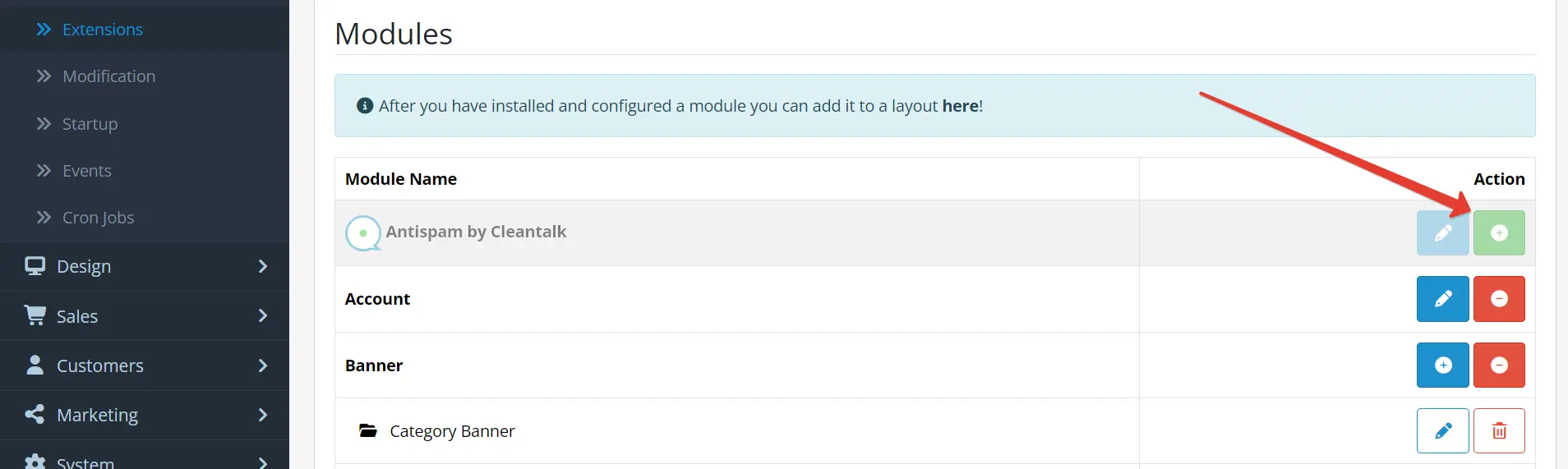
- Go to the tab Extensions → Extensions → Choose the extension type "Modules".
- Find the row "Antispam by CleanTalk" and install the module.
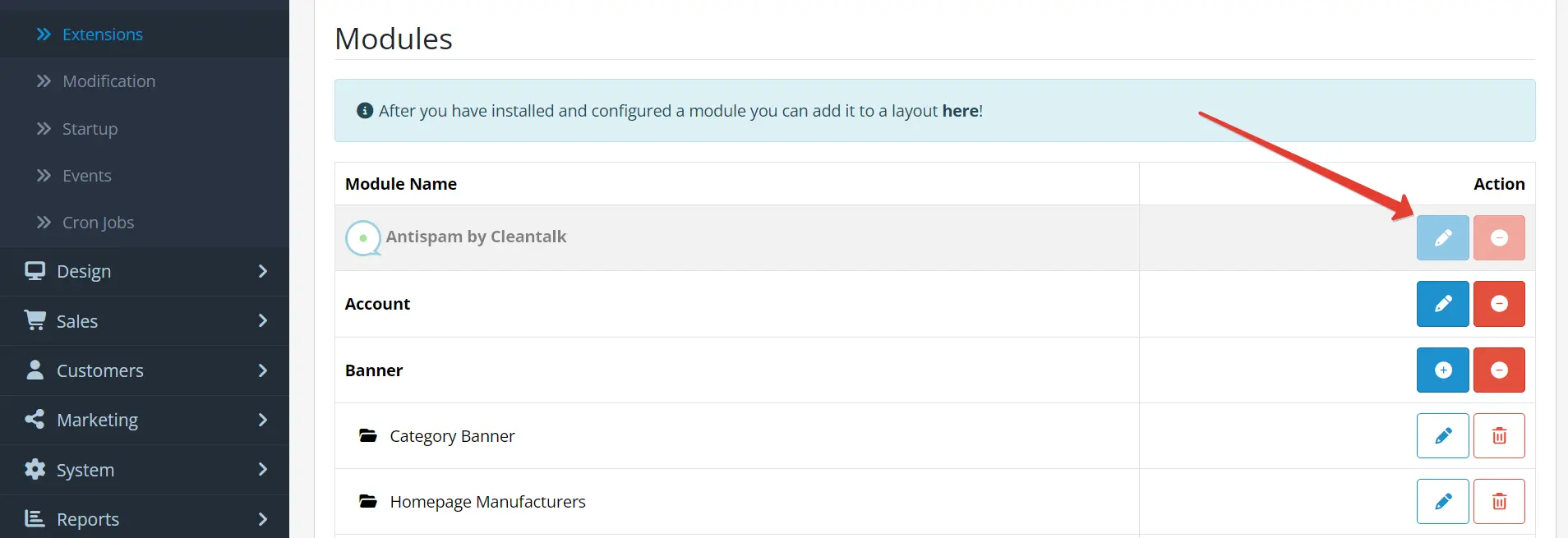
- Click "Edit" to enter the module settings
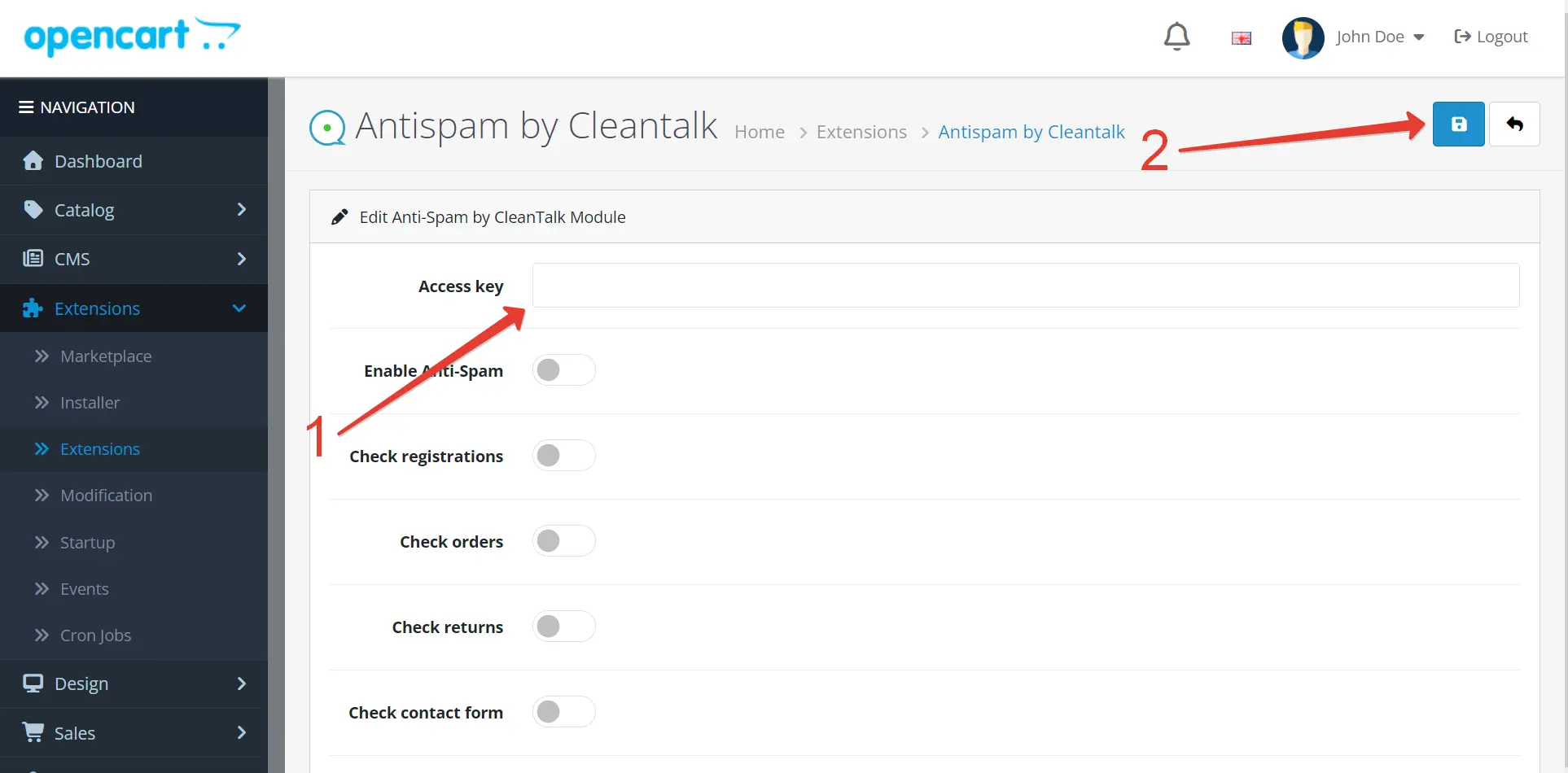
- Copy the Access Key from your CleanTalk Anti-Spam Dashboard and paste it into the "Access Key" field. Configure your settings, then click the "Save" button.
- Do a test registration or post a test comment using the test email addresses: s@cleantalk.org or stop_email@example.com.
Do not perform any tests while logged in as an administrator.
How to Add a Website to CleanTalk Anti-Spam Dashboard
Follow our guide to add a website to the CleanTalk Anti-Spam Dashboard.
Couldn't find what you were looking for? Contact our technical support team for assistance.
It would also be interesting
- Installation of the CleanTalk Anti-Spam Extension on OpenCart 4How to Install the CleanTalk Anti-Spam Extension in OpenCart 4 Go to your Anti-Spam Dashboard Make backup...
Copied to clipboard
