phpBB 3.0 mod: CleanTalk Uninstall Manual
To uninstall the CleanTalk module from phpBB 3.0 please do the following:
Run the external installer by uninstalling and installing the module.
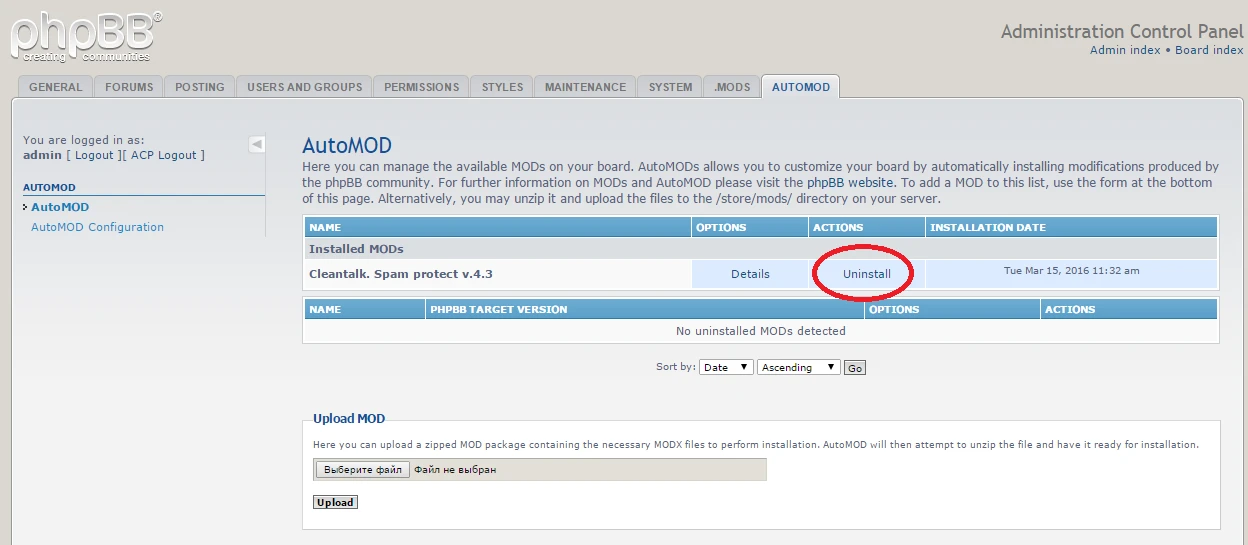
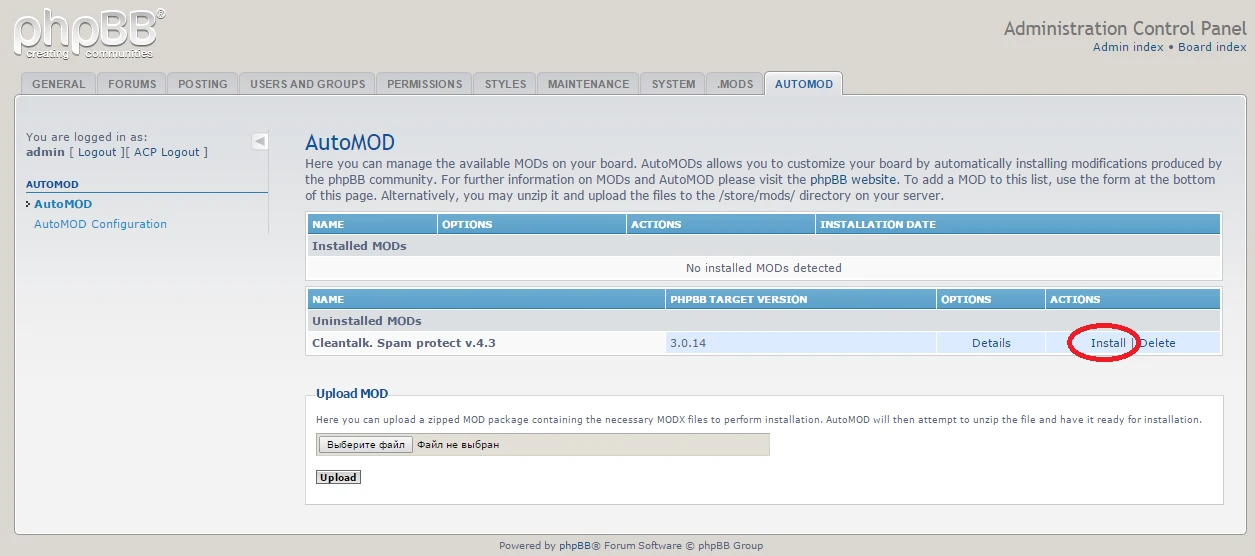
Select external installer to install.

Select uninstall in external installation.

Then uninstall it in Administration Control Panel.

CleanTalk is now deleted from your phpBB 3.0!
It would also be interesting
- Installing the CleanTalk Anti-Spam Mod on phpBB 3.0How to install the CleanTalk Anti-Spam Modification in phpBB 3.0 Important: The official support...
- Miscellaneous Instructions, Extra Package, Comparison CleanTalk vs ReCaptcha vs Akismet, GDPR ComplianceMiscellaneous Instructions, Articles, and Manuals About CleanTalk Here you could find different...
- How to Remove Anti-Spam & Security Plugins or Reset Their DataHow to Remove Anti-Spam & Security Plugins or Reset Their Data Sometimes a plugin may glitch...
Copied to clipboard